
Subscribe to our newsletter
One short email when we publish. No spam, unsubscribe anytime.
OpenClaw 2026.9.2 makes cross-agent session access the default
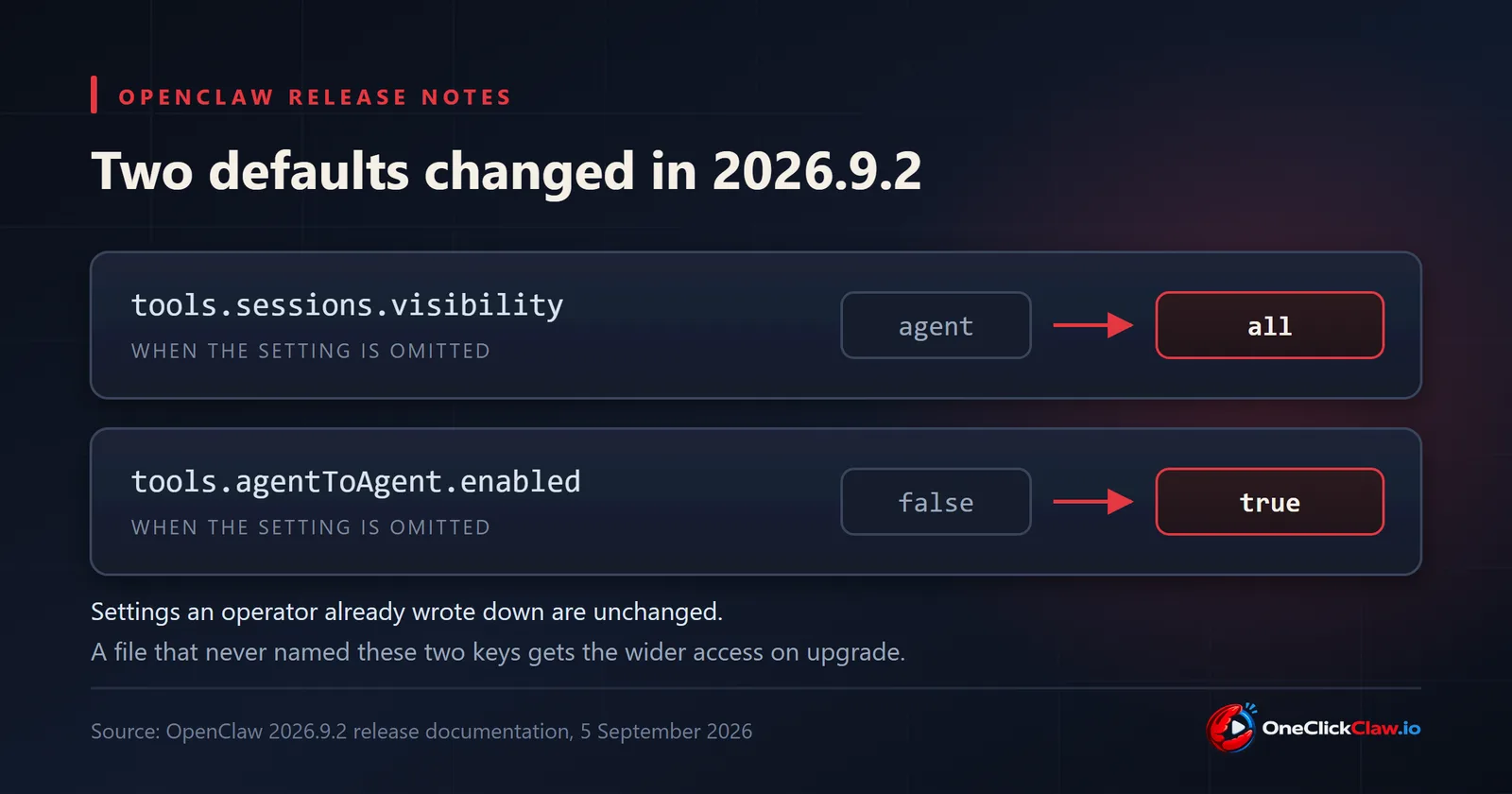
OpenClaw published version 2026.9.2 on September 5, 2026, and the release documentation asks operators to review one thing after the upgrade: two session settings now resolve differently when a configuration file leaves them out. An omitted tools.sessions.visibility changes from agent to all, and an omitted tools.agentToAgent.enabled changes from false to true, the same page states.
The documentation says the two new defaults allow agents holding the relevant tools to list, read, search, message and inspect the sessions of other agents on the same Gateway. Explicit restrictions that an operator already wrote down still apply. An installation that never set these two keys receives the wider access at upgrade time.
What a Gateway is, and why one setting reaches across it
A Gateway in OpenClaw is the always-on process that holds the agents, their chat channels and their conversation history. An agent is one configured assistant inside it. Many people run several agents on one Gateway, one for work and one for the house, or one per client.
Before 2026.9.2 an operator had to switch on cooperation between those agents deliberately. From 2026.9.2 the release documentation states that the cooperation is available by default whenever the two keys were never written down.
For a reader who has never opened an OpenClaw configuration file, the practical translation is this: on a Gateway that several agents share, one agent can now be asked to look through what another agent has been doing, until someone narrows it.
The four controls named in the release notes
The same section of the release documentation lists the settings that narrow the access.
tools.sessions.visibilityacceptsagentfor the conversations of the current agent, andselffor the current conversation on its own. The documentation notes thatagentcan still include the conversations of other people under that same agent.tools.agentToAgent.allowtakes an explicit list. Naming both the requesting agent and the receiving agent keeps a chosen pair working while everything else stays closed.tools.agentToAgent.enabledset tofalseblocks ordinary access between agents.openclaw security auditis the command the documentation gives for the check. The page states that it identifies agents holding unrestricted cross-agent session-tool access and prints guidance for narrowing it.
One line in that section carries a consequence worth reading twice. An omitted or empty allowlist permits every agent pair while access is enabled, and deleting an agent can empty that list. The documentation instructs operators to check the list again after removing an agent.
Where the settings stop
The release documentation also sets out the limits of these controls, which matters for anyone planning around them.
Under tree or all, native subagent and ACP child sessions owned by the requester stay reachable even with agent-to-agent access disabled. The value tree lets the canonical main session reach every conversation belonging to the same agent, while self stays inside its own conversation. Sandboxing limits what a sandboxed caller can reach, and the documentation states that the sandbox leaves that caller's transcripts visible to another permitted caller. Incognito sessions stay hidden from these tools. memory_search remains scoped to a single agent, while sessions_search covers transcripts inside whatever scope is permitted.
The change is recorded in the release source list as pull request #136755, titled "Default to shared cross-agent session access with narrowing controls and audit guidance".
The line that turns a setting into a hardware question
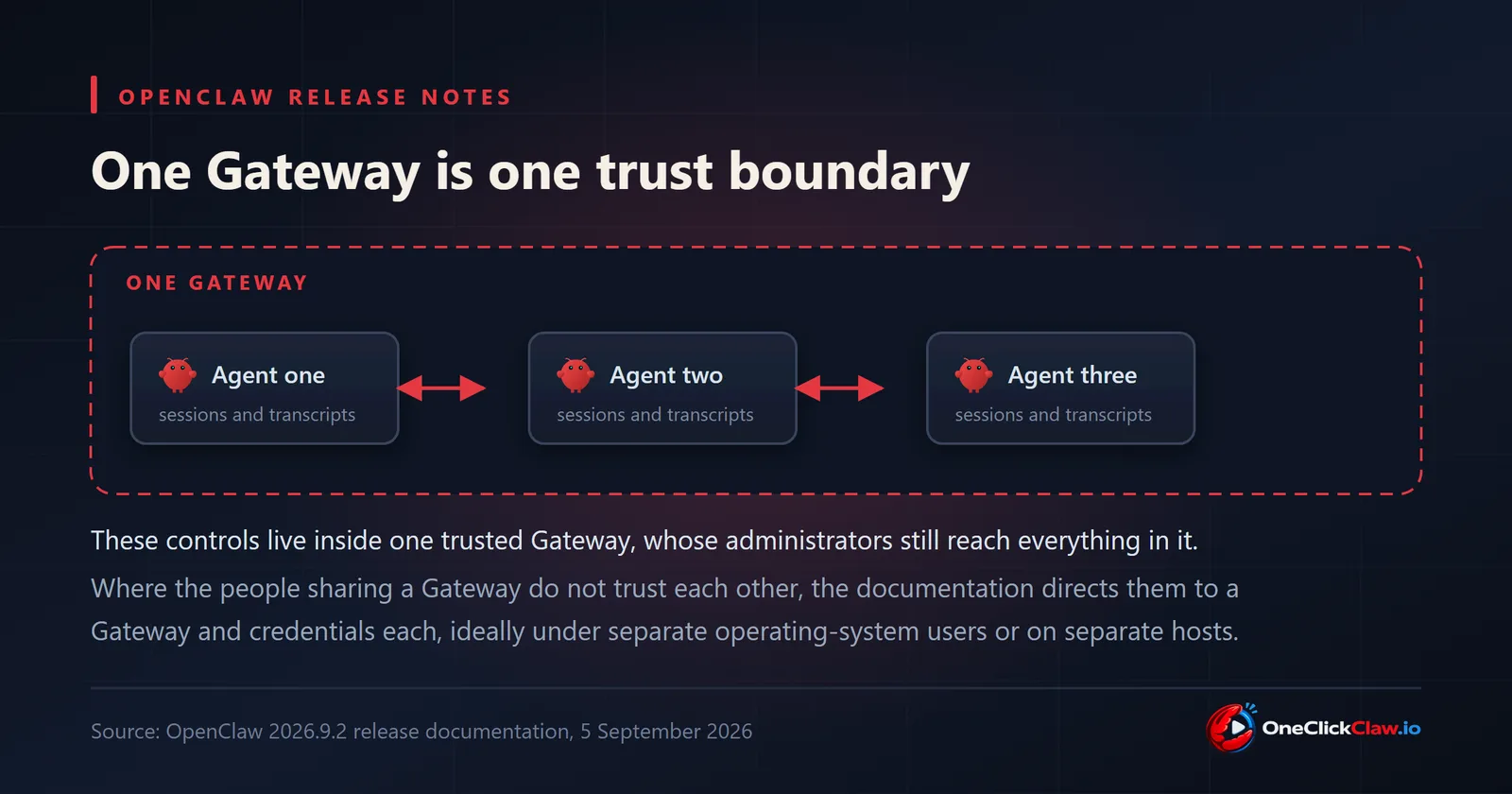
The release documentation places every one of these controls inside a single trust boundary. It describes them as controls within one trusted Gateway, and states that a Gateway's administrators can still reach what that Gateway holds.
Then it gives the instruction that decides the shape of a setup. Where the people using a Gateway do not trust each other, the documentation directs them to separate Gateways and separate credentials, ideally under separate operating-system users or on separate hosts.
That sentence is about hardware. Two people who share one Gateway to split the cost of a server share a trust boundary along with it, and the documented answer is a Gateway each. A team that runs one agent per client sits in the same position, because the client transcripts live under the same roof.
Where the release stands
Version 2026.9.2 was published at 20:00 UTC on September 5, 2026, according to the GitHub release record. The release page counts 1,245 pull requests, 6 direct commits and 232 contributors. On September 7, 2026 the latest tag of the openclaw package on npm pointed to 2026.9.2.
For an operator moving up from an older release, the documented sequence is short. Open the configuration file and look for the two keys. Set tools.sessions.visibility to agent or self where narrower access is wanted. Write an explicit tools.agentToAgent.allow list, or set tools.agentToAgent.enabled to false. Then run openclaw security audit and read what comes back.
OneClickClaw runs OpenClaw on a dedicated server for every customer, which puts one trust boundary around one person from the first day. Plans start at EUR 14.99 a month for Starter, and the seven-day free trial runs with no card.
Source: the OpenClaw 2026.9.2 release documentation and the GitHub release record, both read on September 7, 2026.
Source: docs.openclaw.ai
Helpful documentation
Want your own AI agent running without the setup? We host it on a dedicated EU server. Free for 7 days, no credit card.
Start your free trialGet notified when we publish new articles
No spam, unsubscribe anytime.
By subscribing, you agree to our Privacy Policy.