
Subscribe to OpenClaw News
One short email when we publish. No spam, unsubscribe anytime.
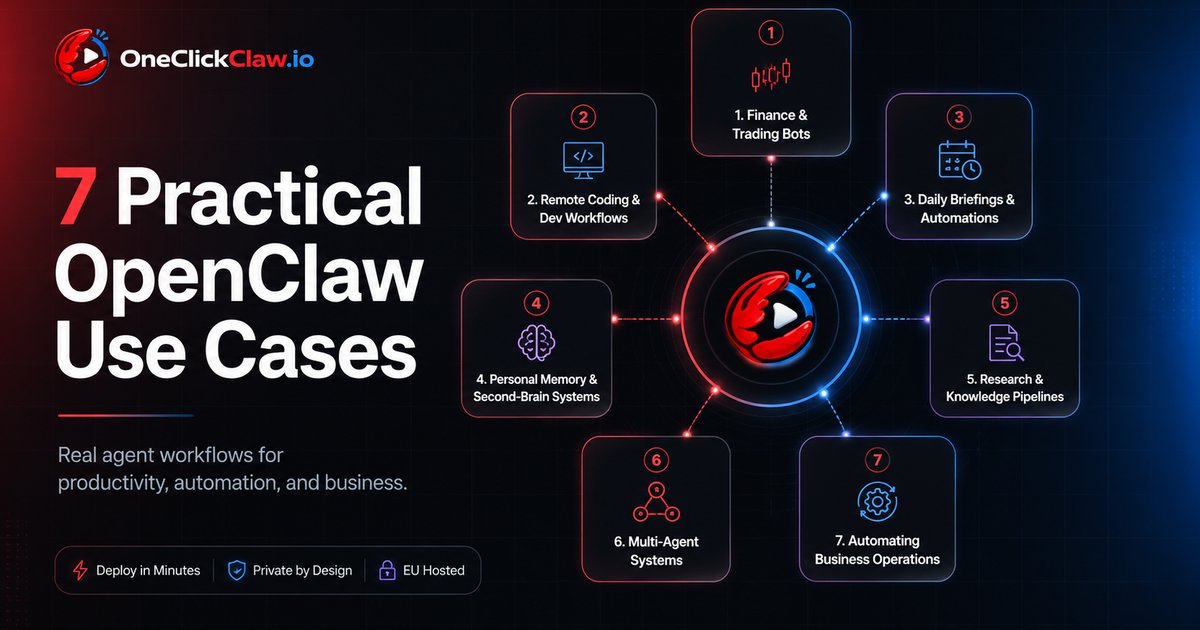
7 Real Ways People Are Using OpenClaw Today
OpenClaw is an open-source AI agent that you run on your own server. Think of it as a personal assistant that does not just talk back, but actually gets things done, and it connects to the apps you already use, like Telegram, WhatsApp, or your favorite chat tool. Once it is set up, you can message it the way you would message a friend, and it can go off and handle real tasks for you.
So what are people actually doing with it? Below are seven of the most popular real-world uses, explained in plain language. You do not need to be a developer to follow along.
1. Finance and Trading Bots
One of the most exciting things people build with OpenClaw is a personal finance and market assistant, powered by the latest AI models (the same kind of technology behind tools like ChatGPT).
People use it to keep an eye on market news, follow price movements, watch what people are saying online, and send useful updates straight to their phone. Instead of jumping between half a dozen dashboards and feeds all day, OpenClaw pulls everything into one steady stream of updates.

And because today's AI models are so capable, these assistants do far more than ping you with alerts. They can summarize what is happening, compare different sources, and explain why a particular piece of news actually matters. That turns hours of scattered research into a quick, clear read.
Showcase: Polymarket Autopilot
2. Remote Coding and Dev Workflows
Another popular use is remote development, which is really just a fancy way of saying "getting work done on your computer even when you are not sitting in front of it."

People use OpenClaw to send instructions to coding assistants, run tasks on their machine, edit files, fix problems, and keep projects moving, all from their phone or a chat app. In other words, your phone becomes a remote control for the work happening on your computer.
This is a real shift in how people think about getting things done. Instead of having to sit down and handle every small step yourself, you can hand off certain tasks, check the progress from wherever you are, and keep things moving without being chained to your desk.
Project: AionUi
3. Daily Briefings and Automations
This is one of the simplest and most useful ways people put OpenClaw to work today.

Rather than waiting for you to ask, OpenClaw can be set up to send helpful updates on a schedule. That might be a morning briefing to start your day, a friendly reminder, a summary of your tasks, a roundup of the news that matters to you, or an alert when something needs your attention.
It sounds simple, but it is surprisingly powerful. So much of our time quietly disappears into checking things over and over. When the right information just shows up on its own, at the right moment, it removes that friction and helps you stay focused on what actually matters.
Showcase: Custom Morning Brief
4. Personal Memory and Second-Brain Systems
A lot of people also use OpenClaw as a kind of personal memory.
They use it to capture notes, ideas, reminders, and bits of context over time, then look them up again whenever they need them. Instead of letting good thoughts vanish into a dozen different apps and forgotten documents, OpenClaw keeps them together in one place that is easy to reach.

This is where OpenClaw starts to feel less like a chatbot and more like a "second brain." It remembers the things you care about and keeps track of the bigger picture, not just one conversation at a time.
Showcase: Second Brain
5. Research and Knowledge Pipelines
OpenClaw is also great for research.
People use it to gather information, summarize what they find, organize the useful bits, and turn a messy pile of raw material into something they can actually use. That might mean keeping up with a topic, going through articles or reports, double-checking an idea, or pulling together insights from lots of different places.

This saves a huge amount of time, because real research usually means too many open tabs, too many tools, and the same steps repeated over and over. OpenClaw brings all of that into one smooth flow.
Project: AutoResearchClaw
6. Multi-Agent Systems
One of the things that makes OpenClaw stand out is that it is not limited to a single assistant.

People are experimenting with setups where several AI assistants work together as a team: one plans, another carries out the work, another reviews it, and another reports back. That makes it possible to break a big job into smaller roles and build more organized, reliable automation.
This is where things get genuinely powerful. Instead of leaning on one general helper to do absolutely everything, you can create a little team where each assistant has its own job, a bit like how a real team divides up the work.
Project: agentscope-ai/HiClaw
7. Automating Business Operations

OpenClaw is also being used for the everyday running of a business.
That includes things like organizing leads, drafting outreach messages, handling the kind of contact-and-customer tracking that tools like a CRM usually do, summarizing meetings, keeping track of action items, and helping small teams take care of routine work. None of it is flashy, but it is exactly the kind of repetitive work that automation handles beautifully.
For most people, the appeal is simple: fewer repetitive tasks, less jumping between tools, and more time left for the decisions that actually need a person.
The Bigger Picture
What ties all seven of these together is one simple idea: OpenClaw is not just something you chat with, it is something that works for you. It watches, remembers, summarizes, and acts, quietly handling the busywork so you can focus on what matters.
And the best part is that you do not have to pick just one. Most people start with something small, like a morning briefing, and grow into bigger setups over time as they get comfortable. Wherever you begin, the goal is the same: less friction, fewer manual steps, and more of your time back.

Helpful documentation
Get notified when we publish new articles
No spam, unsubscribe anytime.
By subscribing, you agree to our Privacy Policy.
