
10 Things to Ask OpenClaw in Your First Week
You have a brand new OpenClaw agent and an empty chat box. What do you type first? Here are ten requests that show what your agent can do in its first week, each one sent on a real OpenClaw server with a screenshot of the reply.
Rather skip the setup? We run OpenClaw for you on your own server. Free for 7 days, no card.
Start your free trial
Your agent's first week, in plain words
Think of a new assistant on their first days at the office. You do not hand them the hardest job on day one. You give them small tasks, you tell them how you like things done, and you watch how they work. The ten requests below do the same with OpenClaw.
OpenClaw is an AI agent: a helper that lives on a server and can read pages, write drafts, remember your preferences and do jobs on a schedule. You talk to it in a chat window, like a message app.
Before you start
- An OpenClaw agent with its chat open in your browser. On OneClickClaw, the Open button on your dashboard takes you there.
- An AI model connected to the agent. Ours ran on Claude Sonnet 5.5 from Anthropic.
- About fifteen minutes. Every reply below came back in under twenty seconds.
OneClickClaw sent all ten requests on the 20th of November 2026, on a fresh OpenClaw server, in one conversation and in this order.
Step by step: ten things to ask
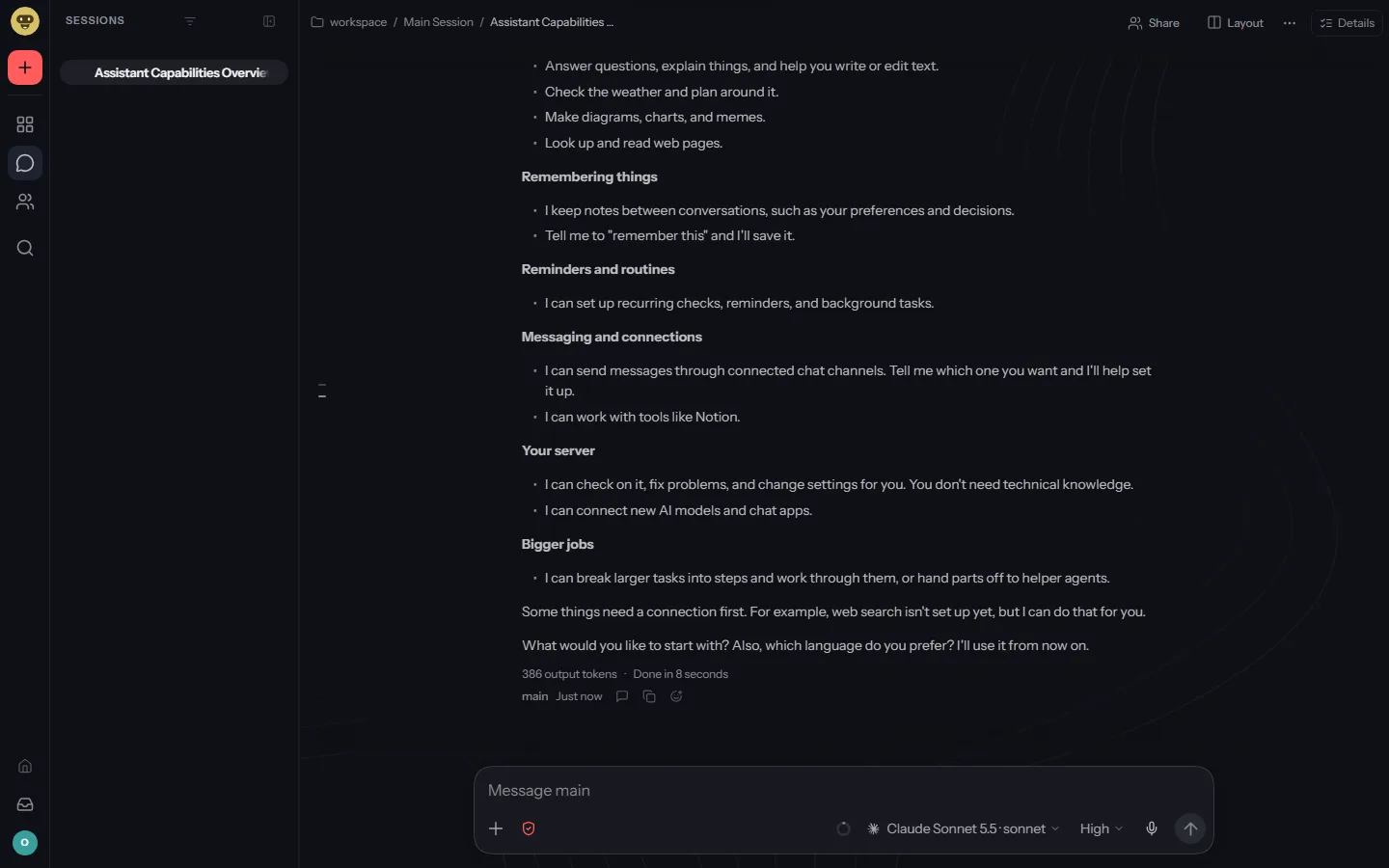
Step 1. Ask what it can do. Press the plus button for a new chat and type What can you do?. Our agent answered with a short menu: questions and writing, remembering things, reminders and routines, messaging, looking after its own server, and bigger jobs split into steps. It ended by asking which language we prefer, so it can keep using it.
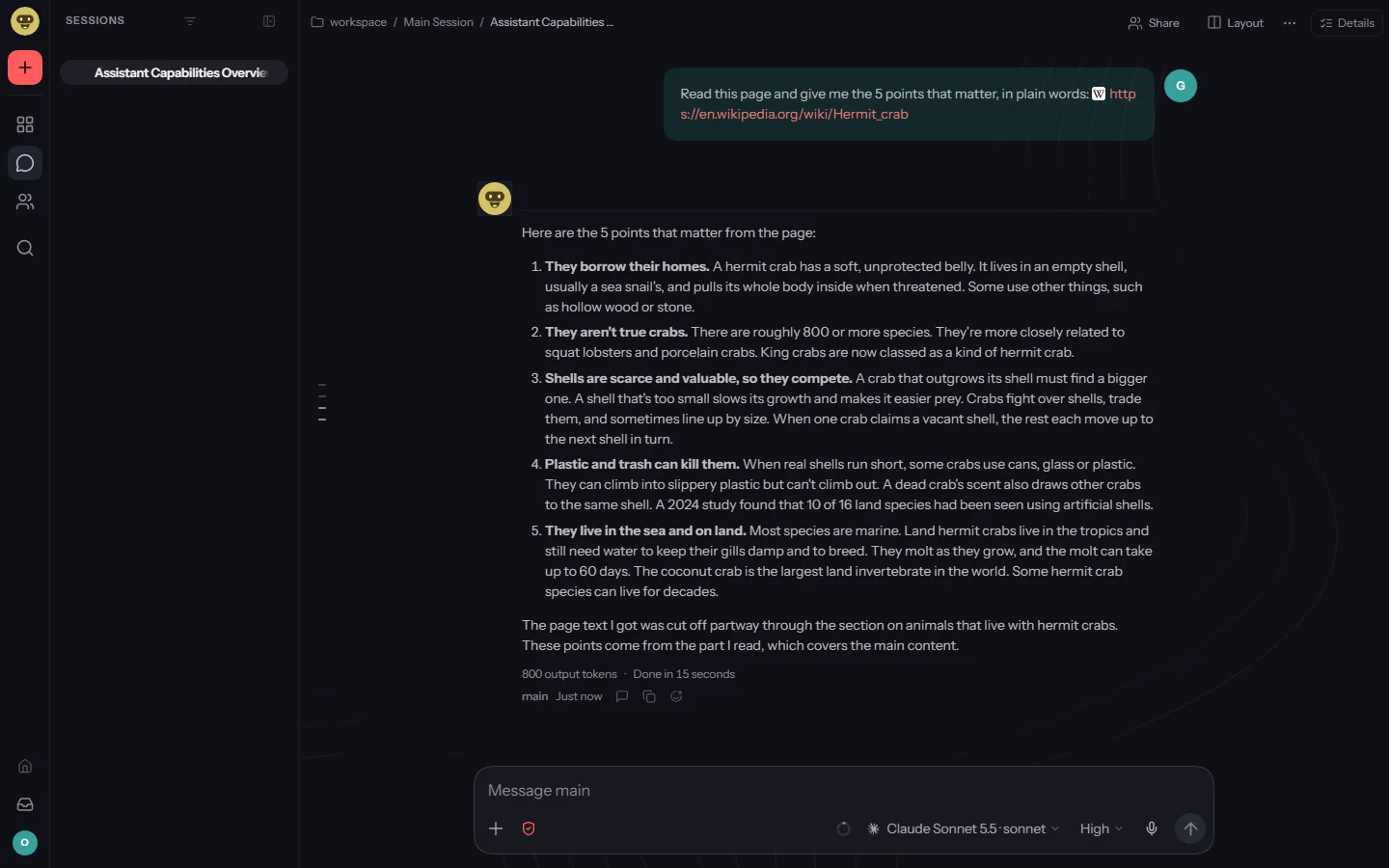
Step 2. Give it a page to read. Paste a link and ask for the points that matter. We sent the Wikipedia page about hermit crabs and asked for five points in plain words. The agent read the page and returned five short points, then said which part of the page they came from.
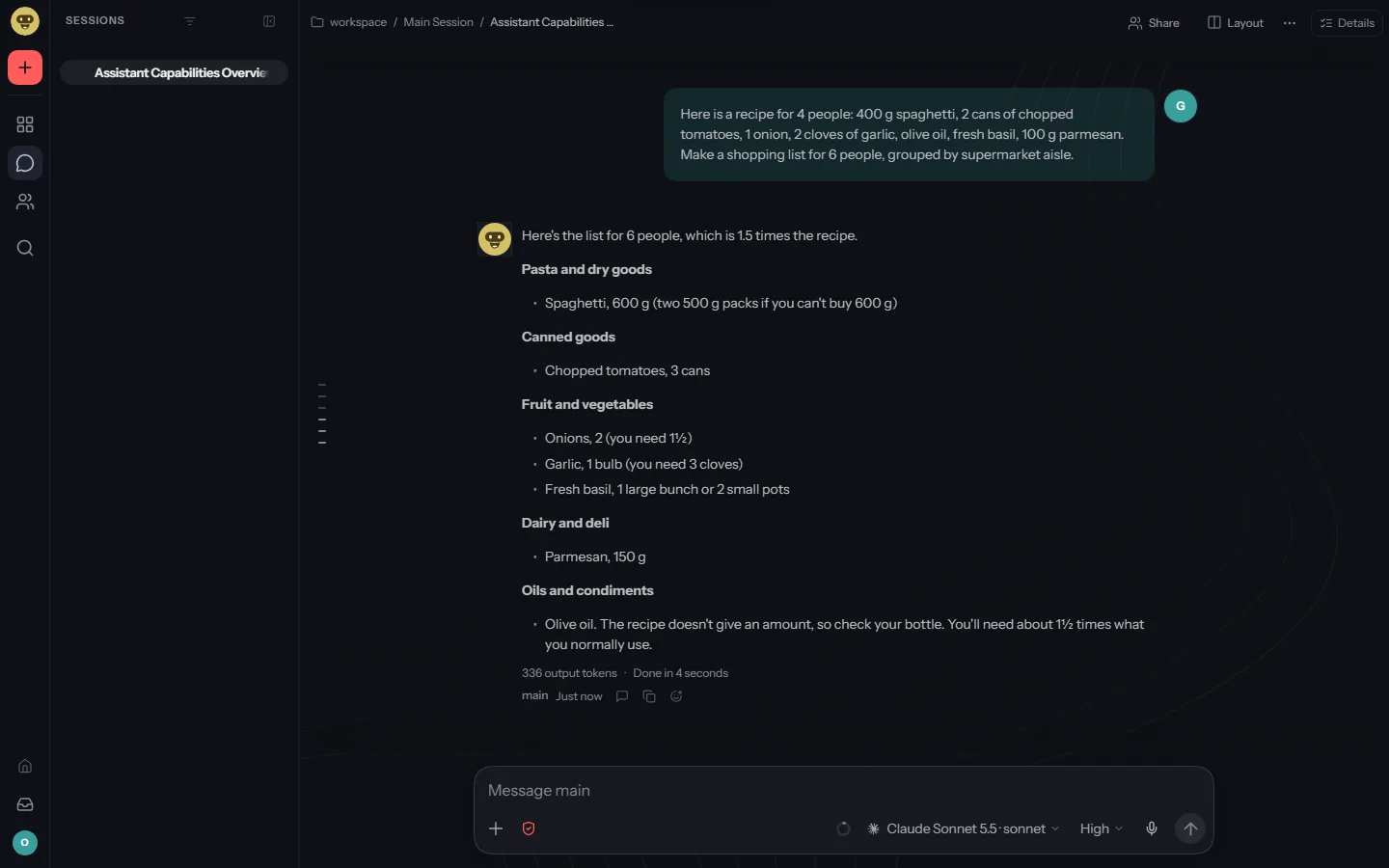
Step 3. Turn a recipe into a shopping list. We pasted a spaghetti recipe for four people and asked for a list for six. The agent worked out that six people means one and a half times the recipe, rounded to the pack sizes found in a shop, and grouped everything by supermarket aisle.
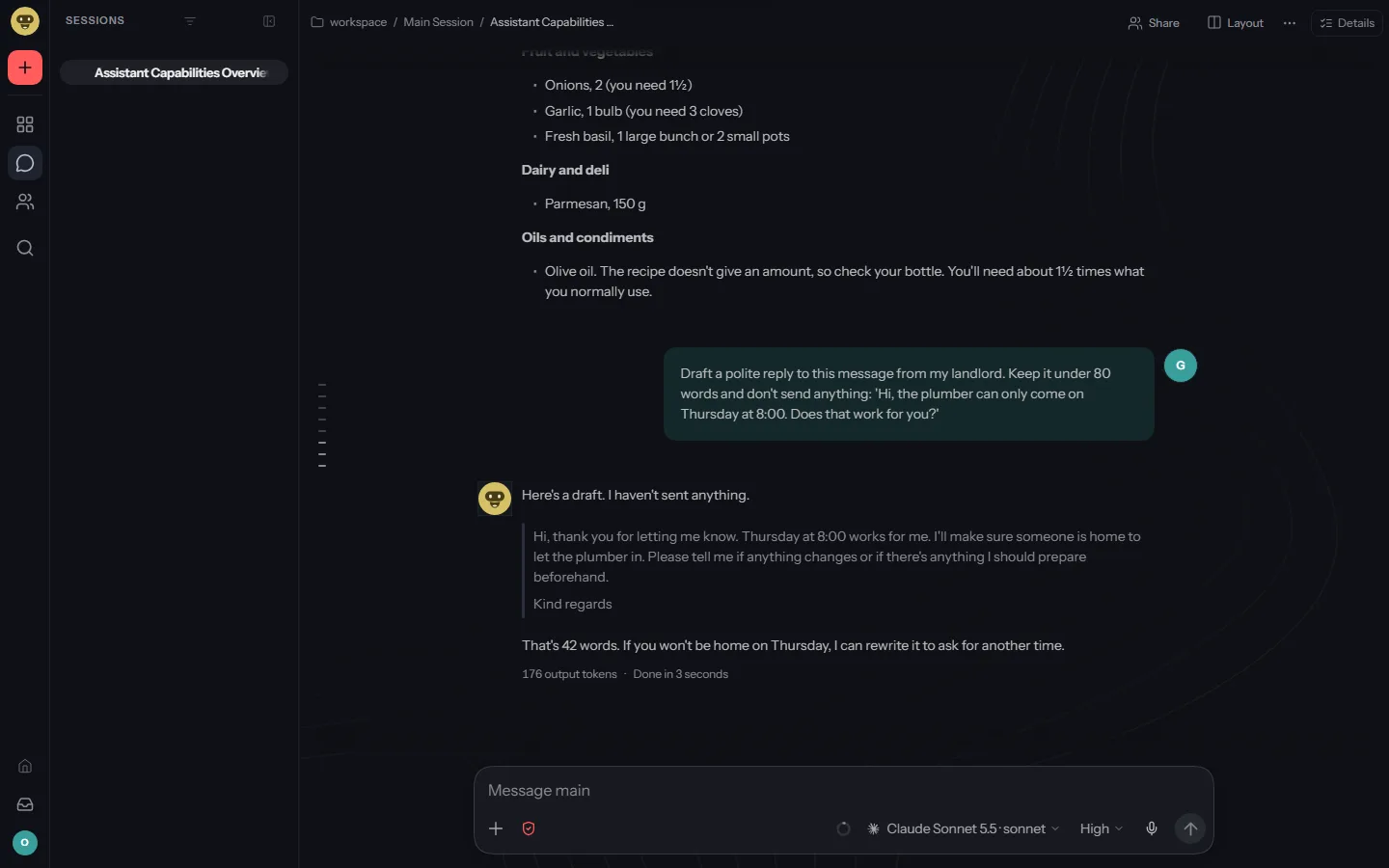
Step 4. Ask for a draft, and keep the last word. We pasted a short message from a landlord about a plumber and asked for a polite reply under 80 words, without sending anything. The agent wrote a 42 word draft and said clearly that it had sent nothing. You copy it, change it and send it yourself.
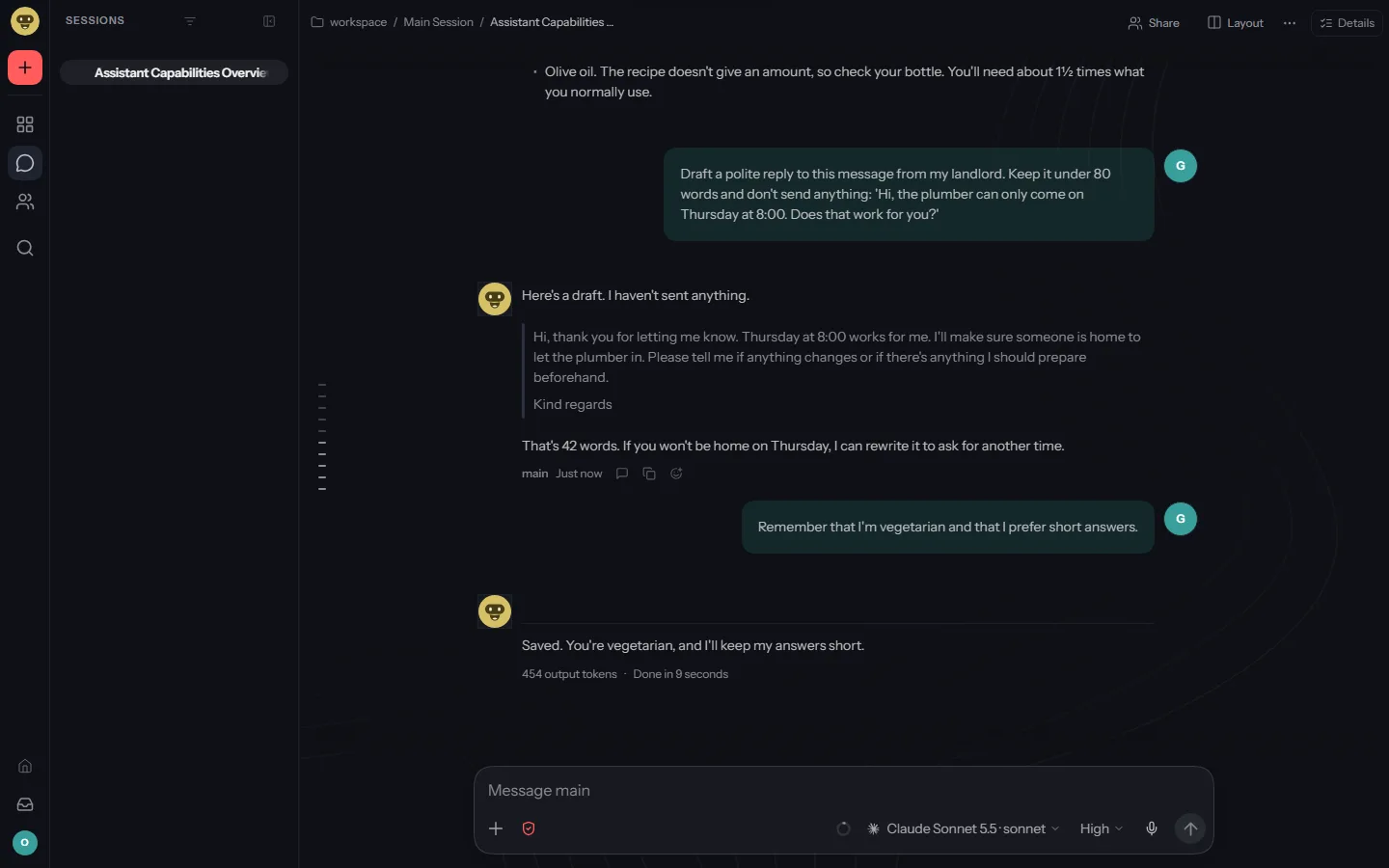
Step 5. Tell it how you like things. Type something like Remember that I'm vegetarian and that I prefer short answers.. The agent saved both notes. Later in the same chat, the packing list in step 9 kept its food vegetarian.
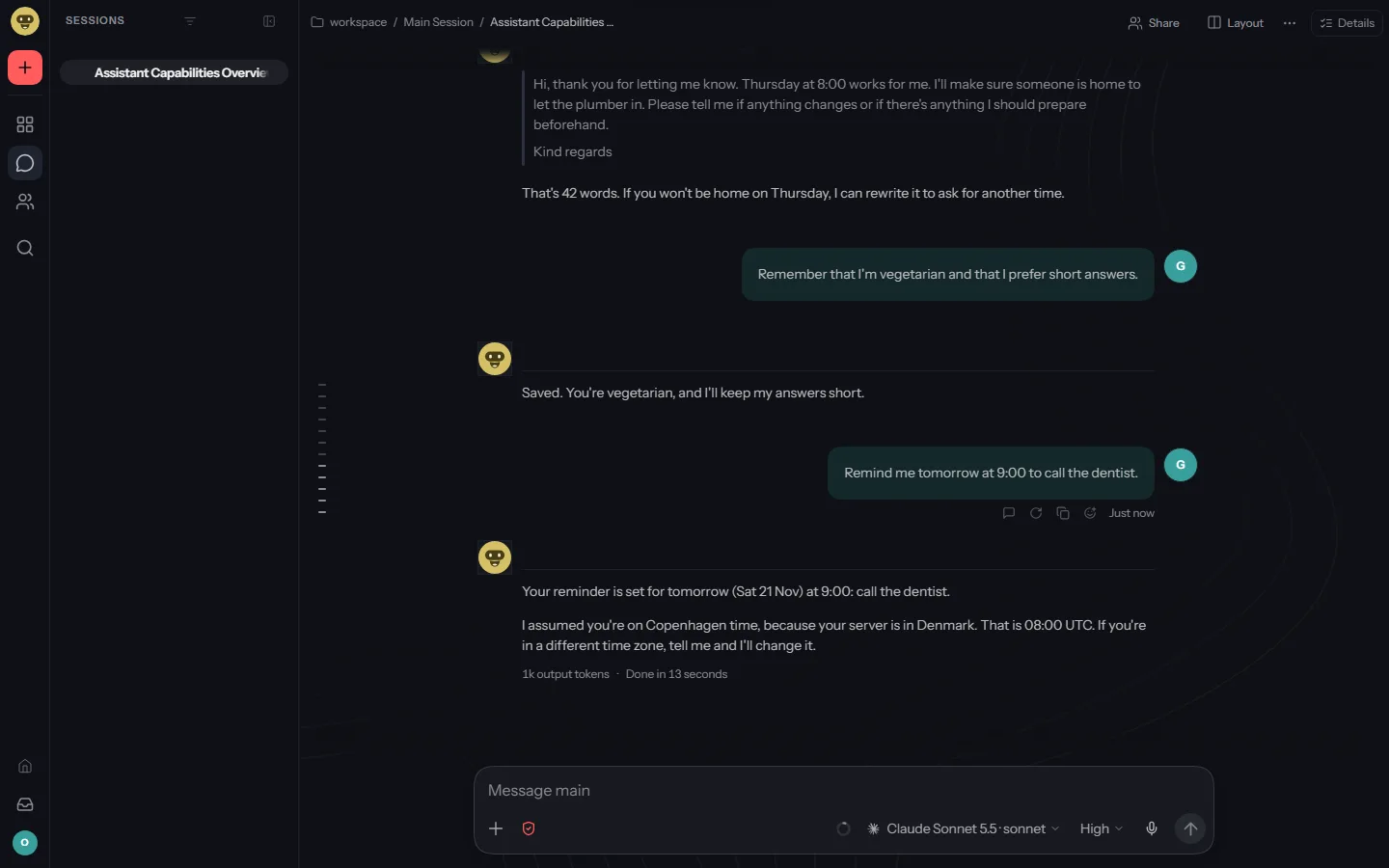
Step 6. Ask for a reminder. We typed Remind me tomorrow at 9:00 to call the dentist.. The agent set the reminder and added a detail: it picked the time zone of its server, which was in Denmark, and asked us to say so if we live somewhere else. Tell your agent your city in step 5 and every reminder lands at the right hour. We checked the server's list of scheduled jobs, and the reminder was there for the next morning.
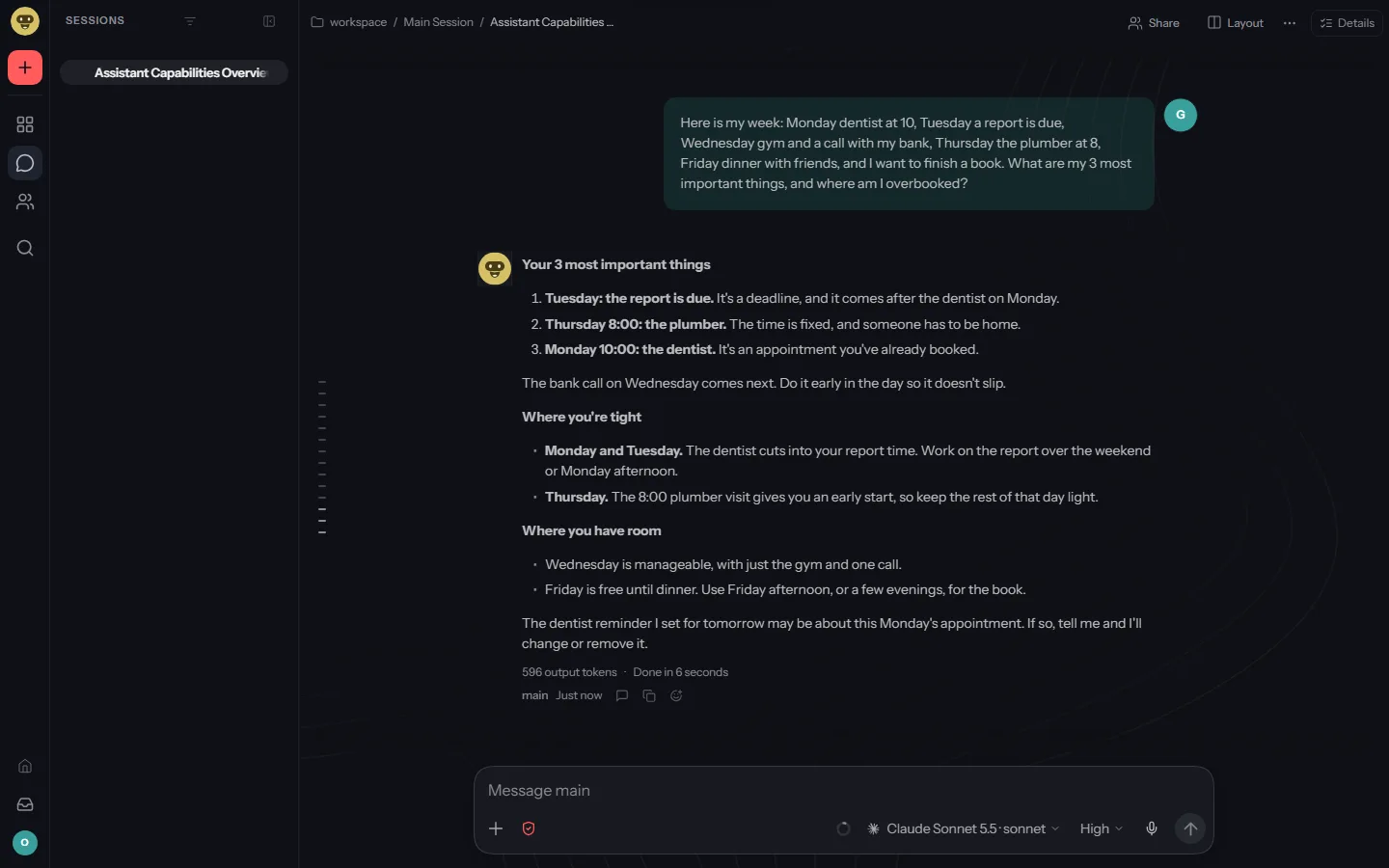
Step 7. Plan your week. List your week in one message and ask what matters most. Ours had a dentist, a report, the gym, a bank call, a plumber, a dinner and a book to finish. The agent picked the three most important items, showed where the week was tight and where there was room, and also asked whether the dentist reminder from step 6 was about the same appointment.
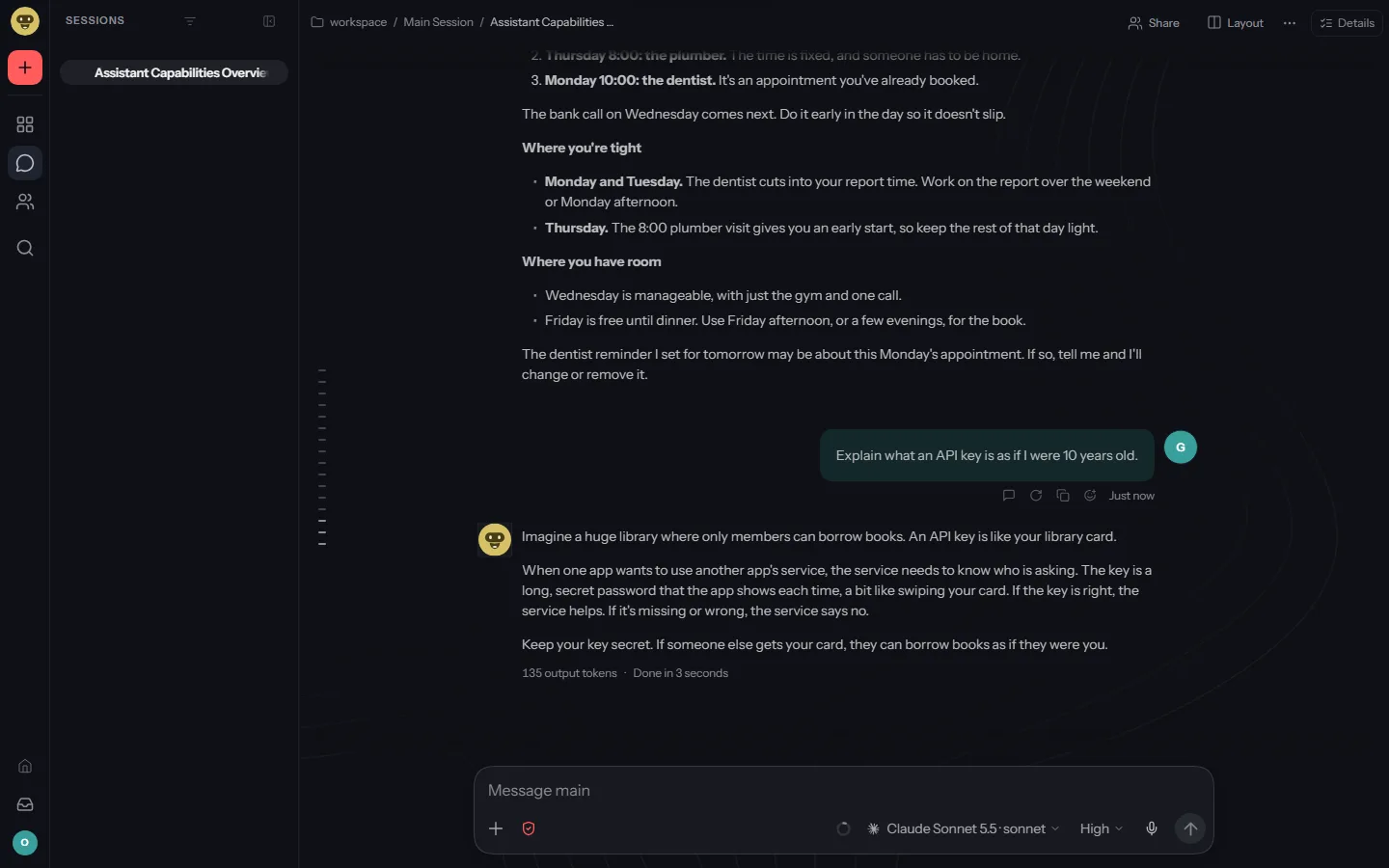
Step 8. Ask it to explain something simply. We asked what an API key is, as if we were ten years old. An API key is the password one program uses to talk to another. The agent explained it with a library card: only members can borrow books, and the key works like that card, so you keep it to yourself.
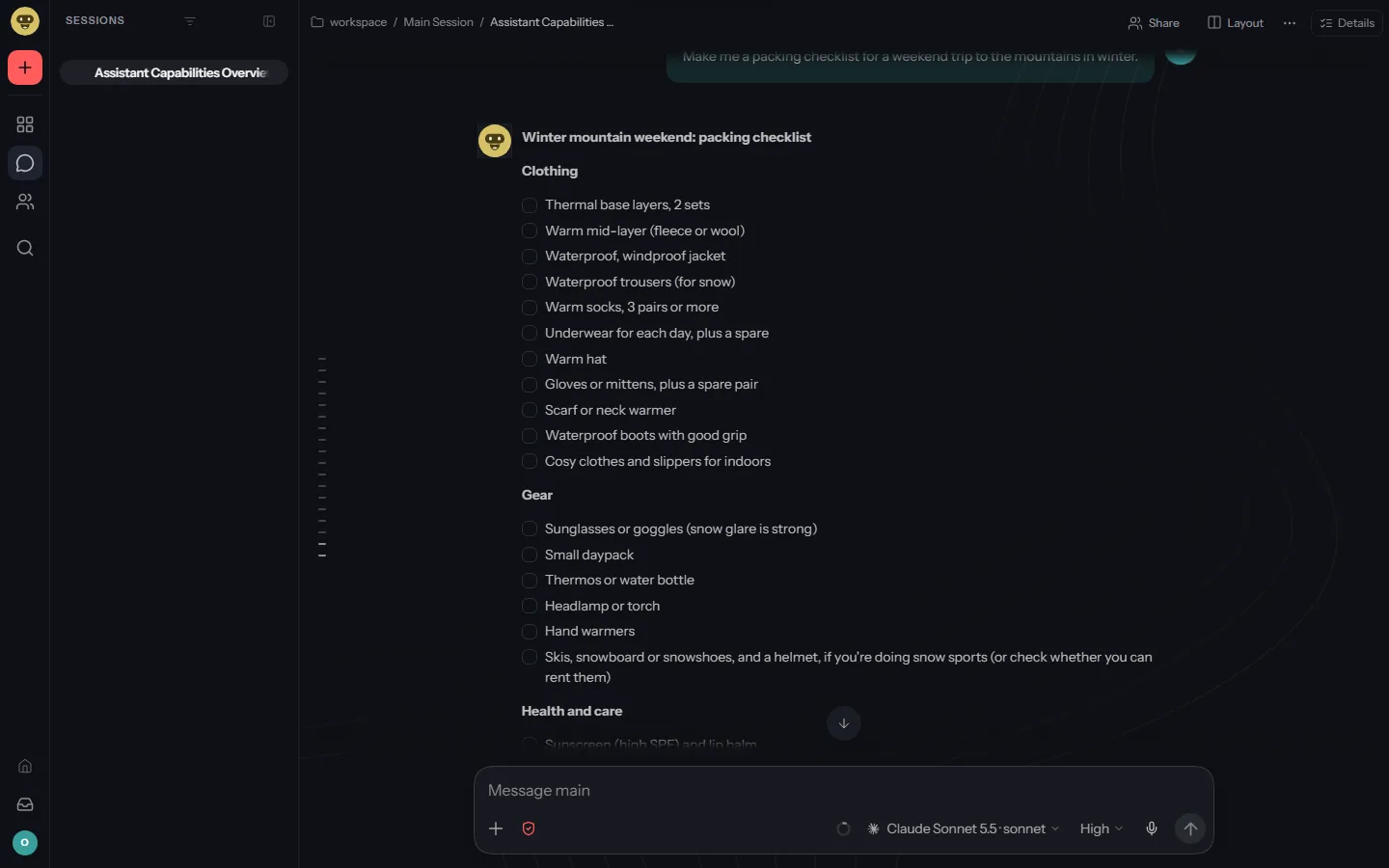
Step 9. Get a checklist. We asked for a packing list for a winter weekend in the mountains. The agent returned a list with tick boxes, grouped into clothing, gear, health and food. The food part was vegetarian, because of the note from step 5.
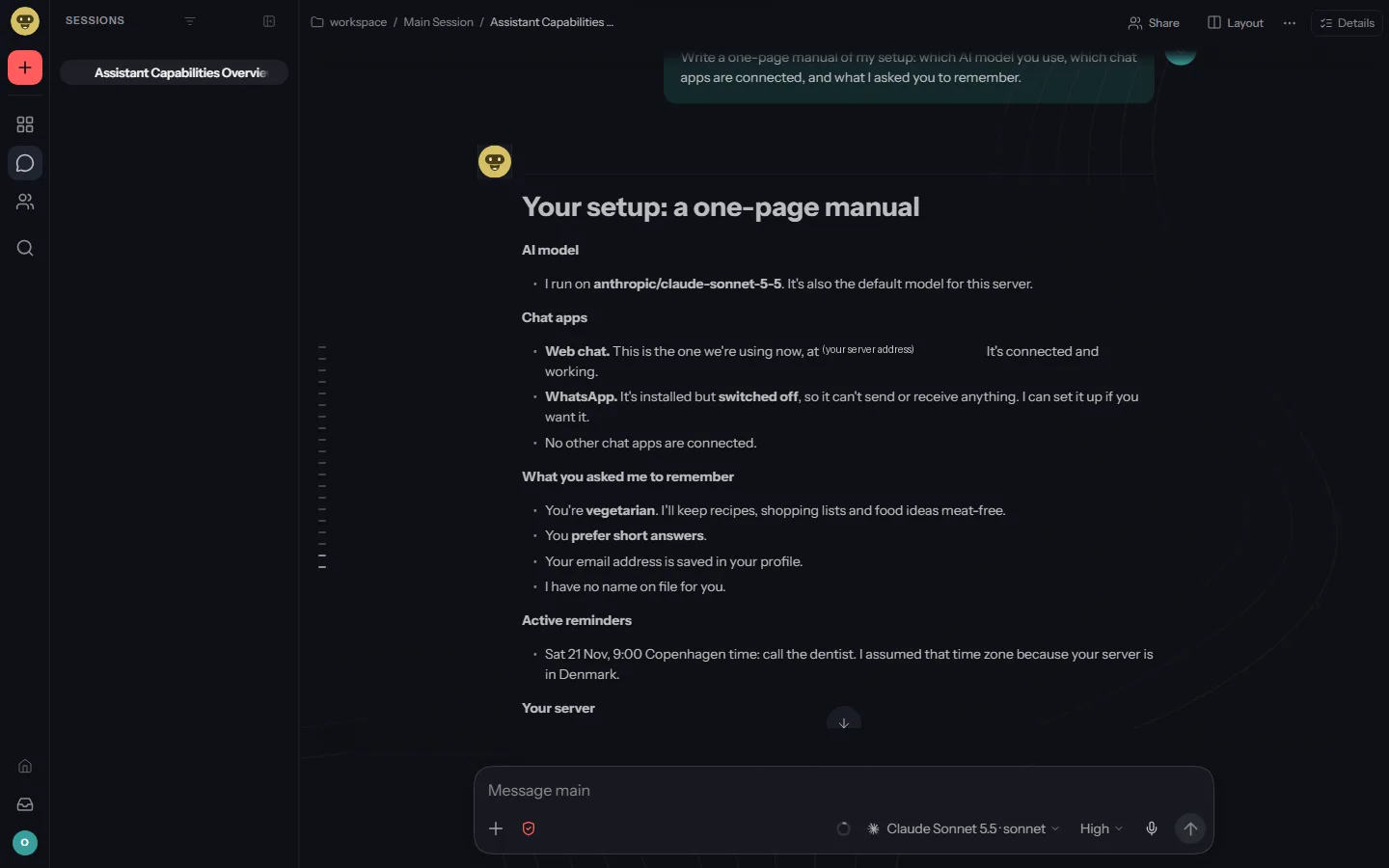
Step 10. Ask for a one page manual of your setup. Type Write a one-page manual of my setup: which AI model you use, which chat apps are connected, and what I asked you to remember.. Our agent listed its AI model, the chat apps it can use, both saved preferences and the dentist reminder. Keep this page: it is the quickest way to see what your agent knows about you.
What to try next
Steps 5, 6 and 9 show two things an agent does: it remembers, and it acts later on its own. A reminder for 9:00 tomorrow only arrives if the agent is awake at 9:00 tomorrow. An agent that lives on a server that runs day and night keeps those promises while your laptop is closed.
Related guides
Frequently asked questions
- Does OpenClaw send anything without asking?
- In our test it wrote the landlord reply as a draft and said it had sent nothing. You copy the text and send it yourself.
- Does it remember what I tell it?
- Yes. Ask it to remember a preference, such as being vegetarian, and later answers in the same chat follow it.
- Which time zone does a reminder use?
- Ours used the time zone of the server and said so. Tell your agent your city and reminders arrive at your local hour.
Related guides
- Run OpenClaw 24/7: keep your agent online all the timeKeep your OpenClaw agent online day and night. The four ways to run it 24/7, eight screens that show it is awake, tips found inside the interface and the mistakes new users make.
- OpenClaw Token Bill: Find the Leak and Cut CostsOpenClaw resends its instructions on every turn, so small habits add up. How to measure token use, move routine jobs to cheaper models or plain scripts, handle email, voice and photos locally, and set a hard spending stop, step by step.
- Get a Real Phone Call from Your OpenClaw or Hermes AgentWhen a long job needs your yes, your OpenClaw or Hermes agent can ring your Android phone and hear your answer out loud. Here is the free agentring setup, from pairing the phone to a first real call, with a screenshot for each step.
- Put a Dollar Cap on Hermes so an Unattended Job Can't Run Up the BillLeave Hermes working overnight and wake up to a bill you did not plan for. A free plugin called budget-leash puts a dollar limit on it. A beginner guide with a screenshot for every step: what the limit does, what it costs and where you set it.