
Subscribe to our newsletter
One short email when we publish. No spam, unsubscribe anytime.
OpenClaw 2.0 is out: multiplayer, dashboards and worker nodes
The team behind OpenClaw held its weekly public call on 3 September 2026 and spent 51 minutes on a single subject: the version it calls 2.0, which reached the public release channel three days earlier. Founder Peter Steinberger joined hosts Hannes Rudolph and developers Patrick Erichsen and Josh Lehman to go through what changed, what is still being finished, and which parts almost nobody has found yet.
This article walks through each piece in plain language, and then through what all of it asks of the machine your agent runs on, because that part changed the most.
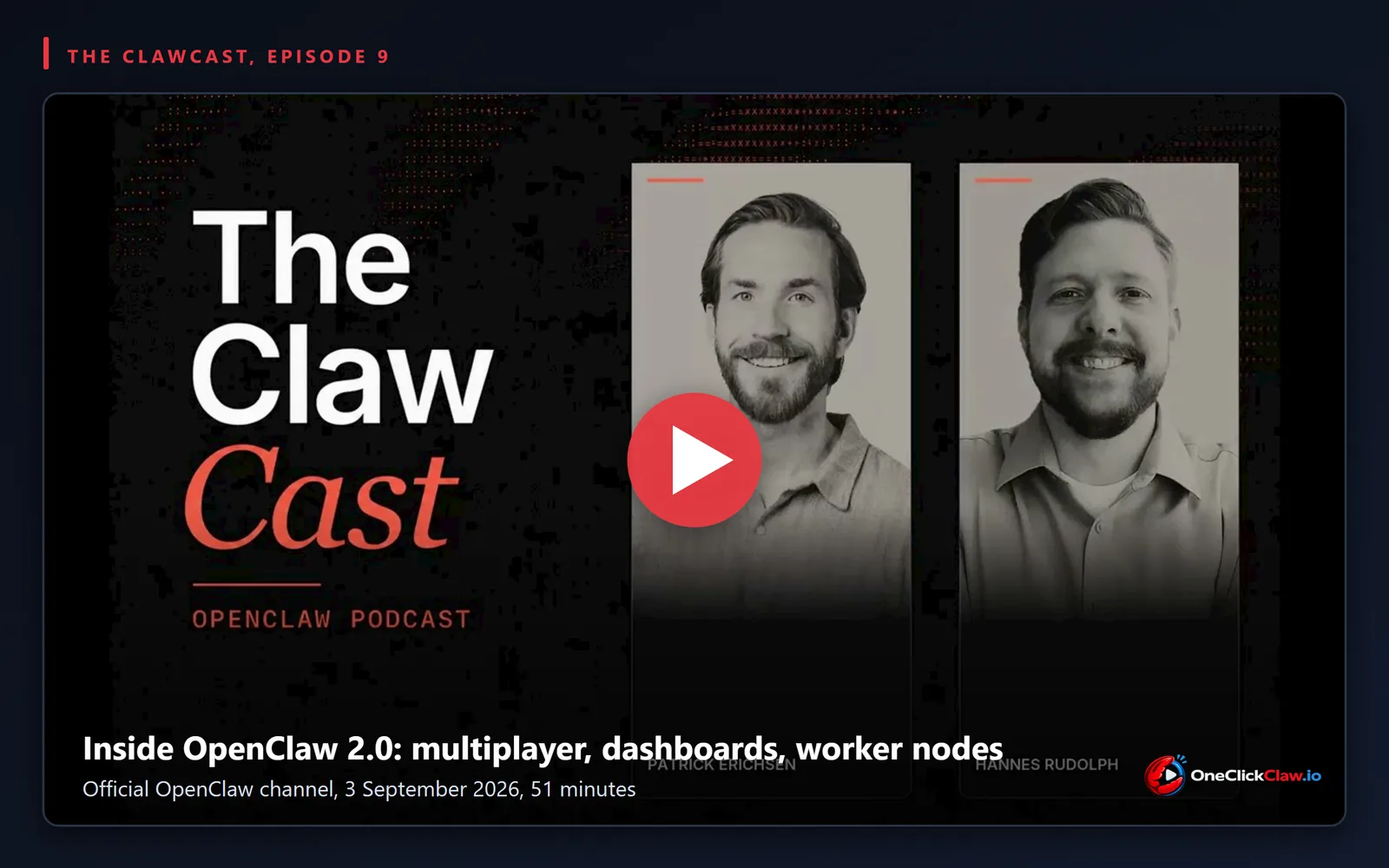
The version called 2.0 has a number, and it is 2026.8.1
OpenClaw does not use marketing version numbers. The release the team refers to as
2.0 was published on GitHub
as 2026.8.1 on 31 August 2026, and a follow-up, 2026.8.2, arrived on 1 September 2026. As of 3 September
2026 the npm latest tag points at 2026.8.2, which is the build a normal
install gets today.
That matters if you are searching for how to upgrade. There is no package named 2.0, so the release notes you want are the 2026.8.1 notes, and the version your gateway should report after a successful upgrade is 2026.8.2.
Rudolph opened the call by naming the gap directly: a seven week dry spell with no stable release. Steinberger said the pause covered the move to a new storage engine underneath, SQLite, which he tied to sessions that now run for ten hours or longer. In his words, older designs were built for a world where sessions did not run that long. We covered the state of that work when the team demonstrated it live on 20 August 2026, before it shipped.
The control panel was rebuilt, and it now holds more than one person
OpenClaw has always reached you through chat apps. Telegram, WhatsApp, Discord, Slack. Erichsen said that stays a first class way to use it, and that his own household runs on Slack. What changed is the browser interface, which he described as effectively completely rebuilt.
The rebuilt interface is what makes the headline feature possible. Several people can now work inside the same gateway at the same time, see who else is online, and open each other's sessions. Lehman explained the mechanism, and it is smaller than it sounds: you turn on one of two access methods, Cloudflare Access or Tailscale, and the names of the people allowed in start appearing in the sidebar. Until you turn one of those on, he said, the interface behaves the way it always did.
Lehman was explicit about the boundary. This is several people sharing one gateway, which means everyone in that room reaches everything that gateway reaches. His advice was to keep it to people you trust, and he named his wife and his colleagues at the OpenClaw Foundation as his own examples. If your gateway holds your personal email, the people you invite hold it too.
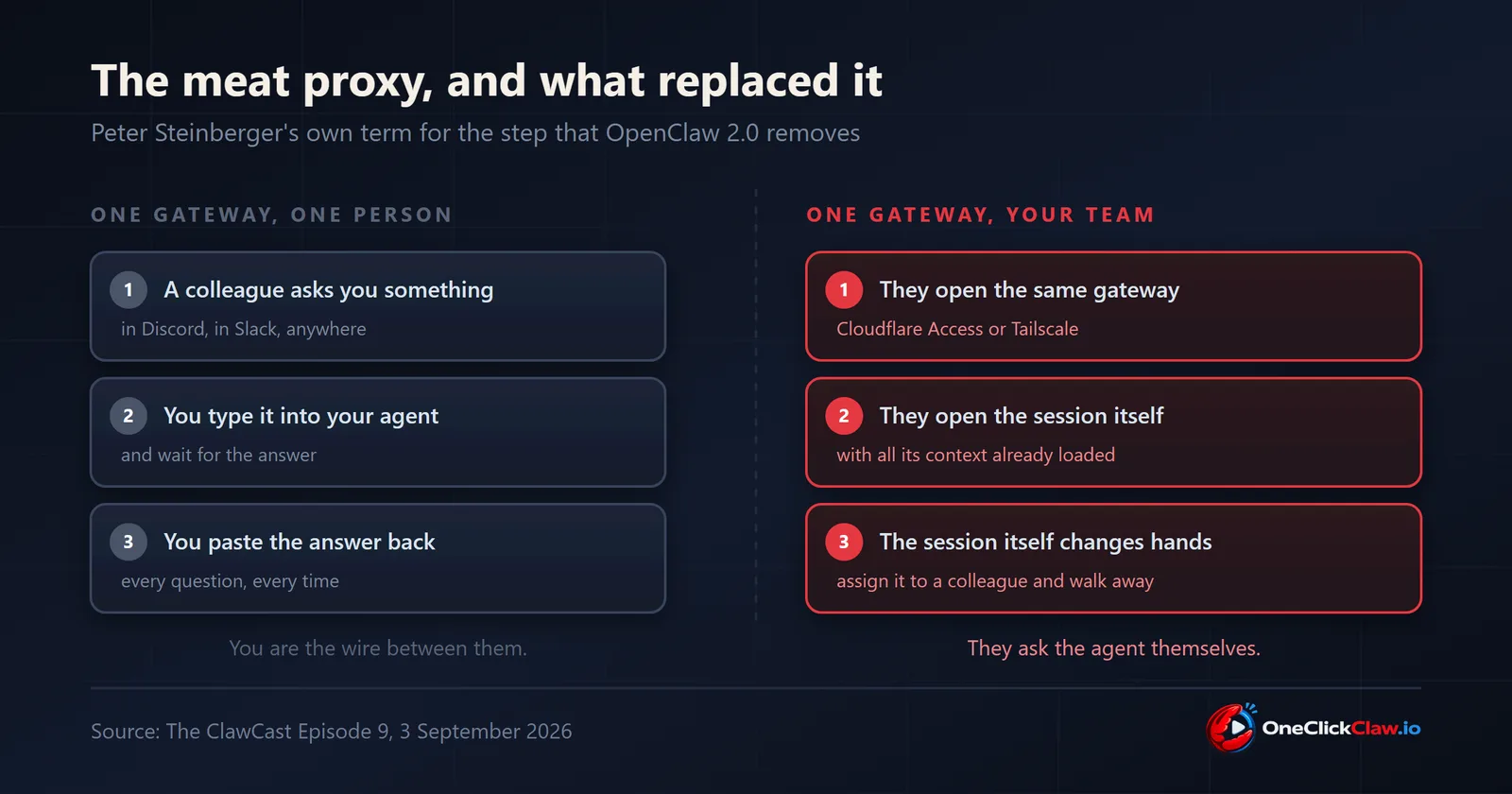
The end of what Steinberger calls the meat proxy
The clearest explanation of why any of this was built came from Steinberger, who defined the term the team used throughout the sprint. A meat proxy, he said, is when somebody asks you something, you type it into your agent, and then you copy what the agent said back into the chat. His conclusion was to give that person access to the agent so they can ask it themselves.
Erichsen said the phrase became an internal alarm bell: every time he caught himself doing it, he took it as a sign that the human step was adding nothing.
What replaced it is session handoff. Lehman described noticing, in the shared sidebar, that an outside contributor was working on the same problem he was, opening that person's session, and leaving a note in it. The work that followed was later handed to Steinberger by assigning the session to him. Steinberger's summary was that no meat proxy was needed, because the context and the session moved together.
Erichsen described the same mechanic for work that stalls. Somebody starts a session, runs out of time, and posts the link so a colleague can pick it up exactly where it stopped, with everything the agent already knows still loaded.
A chat that turns into a screen and stays there
The feature both developers named as the one people have not found is dashboards. The mechanism is a sentence typed into an ordinary chat. Erichsen said he reviewed three pull requests, then told the agent in the same session to turn it into a dashboard, update it every day, and keep him informed about relevant changes in that repository. The result runs on its own and everyone on his team can open it.
Steinberger described the same path for anything visual: ask the agent to visualise something, get an interactive page back in the browser, and if it is worth keeping, ask for it to be pinned. The chat moves to the side and the dashboard stays and keeps updating.
Erichsen put the effect in one line: once the team had a dashboard, a lot of problems turned out to be dashboard shaped.
Memory and self learning skills changed their defaults
Two systems became one. Steinberger said OpenClaw had been carrying two memory systems, its own and QMD, with about 95 percent overlap between them, and that they were unified into a single system in this release.
Dreaming, the process that turns a day of sessions into durable memory, is now on by default. Steinberger described the change in how it works: a separate session reconciles everything at the end of the day and distils the memories, so the agent no longer pauses to write memory while you wait. He attributed the design to research showing the separate pass works better.
The self learning skills feature had a different problem. Steinberger said it shipped three or four months ago, and that he kept reading online that OpenClaw did not have it, because the switch was off by default and people never found it in settings. It is on by default now. Erichsen described the loop around it: roughly every ten days the system retires skills that are no longer used, and roughly every ten turns it checks whether a skill is worth updating.
One detail matters for teams. Skills are shared across the whole gateway by default, and so is memory. Steinberger said per person skills were being worked on and had not landed yet, and that anyone who wants a private memory should run a second agent.
Worker nodes were demonstrated, and the team called them unfinished
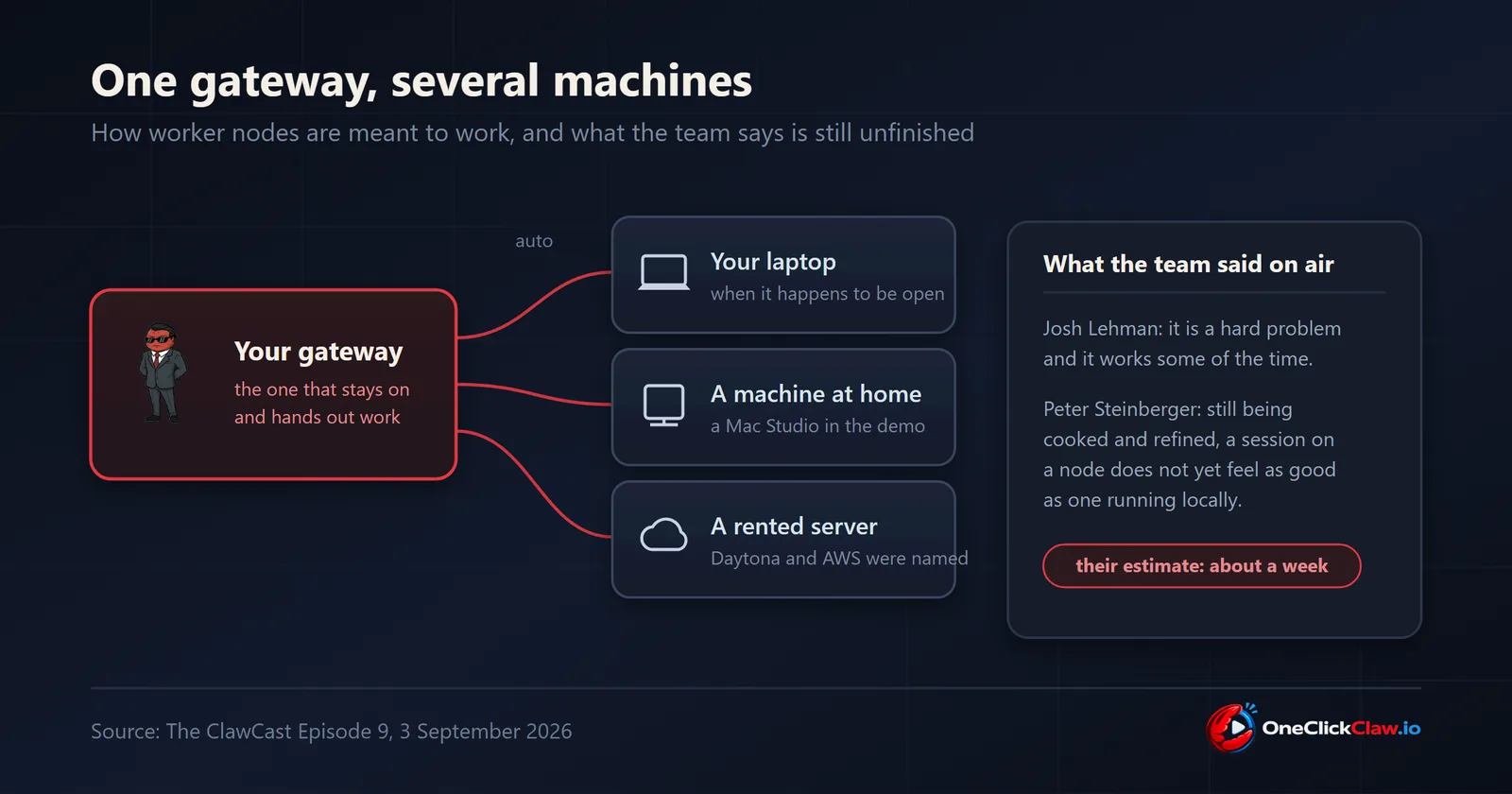
Worker nodes are in the title of the episode and they are the piece the team was most careful about. Lehman opened his demonstration by saying it is a hard problem and that it works some of the time. Steinberger said it is still something the team is cooking and refining, and that running a session out of a node does not yet feel as good as running it locally. Lehman put a timeframe on it: probably there in a week or so.
What was demonstrated: a gateway with two extra machines attached, a MacBook and a Mac Studio, and a setting called auto that sends each new session to whichever machine has capacity. Lehman said the same mechanism covers a machine you own and a machine rented from a provider, and named Daytona and AWS as examples of the second kind.
The reason the team wanted it came from Erichsen, who said he had quietly been limiting his own experiments because he felt short of compute. Now, he said, he can start something that runs for three days on a cheap VPS, forget about it, and come back a week later. Steinberger gave the operational version: he runs many sessions at once and spreads them across several machines so the machines stop dying under the load.
What all of this asks of the machine underneath
Every feature in this release points at the same requirement. A dashboard that updates every day has to be running every day. Dreaming reconciles your sessions at the end of the day, which assumes something is awake at the end of the day. A colleague opening your session at nine in the morning needs the gateway answering at nine in the morning. A job Erichsen leaves running for three days needs three days of uptime.
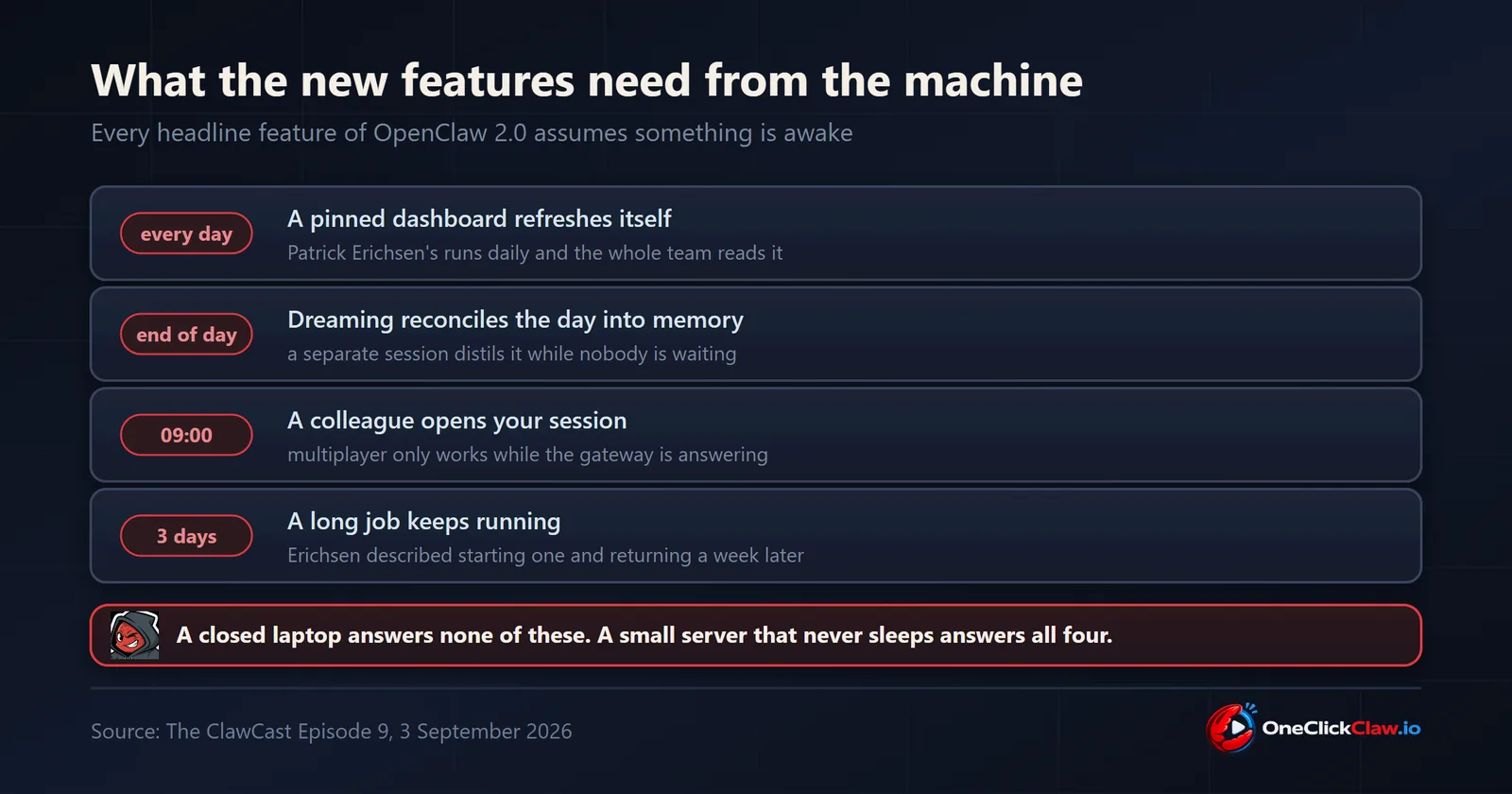
A laptop does none of that. It closes, it sleeps, it goes with you. The machine that suits this release is a small server that never turns off, and Steinberger described exactly that shape when he explained why he runs OpenClaw at all: it runs on your hardware, and the alternative is handing your data to somebody else's company.
Lehman took the same argument further and tied it to how the project is owned. The OpenClaw Foundation is a nonprofit, he said, with no shares and nothing to buy, and he described that structure as what keeps the software open years from now. His framing was personal infrastructure: something with the capabilities of a commercial service, that belongs to you, that nobody can take away or change on you.
Steinberger closed the same thread with a fair assessment of the project's weak spot. The team is an innovation machine, he said, and not a documentation and tutorials machine, so useful features ship and go unnoticed. He said the Foundation received funding and hired someone to work on that.
If you are upgrading
The release notes carry one breaking change worth reading before you start. The
bundled OpenProse plugin and its command were removed, and the notes tell you to run
openclaw doctor --fix to clear the stale configuration. The notes also open
with advice for anyone whose automatic update fails: back up your configuration and state
first, and use a local coding tool to work through migration errors.
If you would rather not run that upgrade yourself, that is the part OneClickClaw does. Your agent gets a private European server that stays on, and the version pinning, the upgrades and the backups are handled for you. The seven day trial runs on a real server and asks for no card.
Source
The ClawCast Episode 9, "Inside OpenClaw 2.0: Multiplayer, Dashboards, and Worker Nodes", published 3 September 2026 on the official OpenClaw YouTube channel, with Hannes Rudolph, Peter Steinberger, Patrick Erichsen and Josh Lehman. Release facts from the 2026.8.1 and 2026.8.2 GitHub release pages and the official 2026.8.1 release notes, all checked on 3 September 2026.
Source: www.youtube.com
Helpful documentation
Want your own AI agent running without the setup? We host it on a dedicated EU server. Free for 7 days, no credit card.
Start your free trialGet notified when we publish new articles
No spam, unsubscribe anytime.
By subscribing, you agree to our Privacy Policy.