
Subscribe to our newsletter
One short email when we publish. No spam, unsubscribe anytime.

Hermes Agent's 18 official plugins, one by one
Nous Research, the company behind the Hermes Agent, now maintains 18 official plugins for its agent, according to the official plugin page it keeps on GitHub. A plugin is an add-on: a small extra piece you switch on when you want your agent to do one more kind of job. On the 24th of October 2026 the X account HermesWatcher posted the full list, and by midday the post had about 22,000 views.
The list itself is short on explanations. Most entries are written for programmers. Below, each of the 18 gets a few plain sentences: what it does for you, who it suits and what it needs. They are grouped by the kind of job they do.
Why Hermes now comes in pieces
Nous Research wrote on that page that the core of Hermes keeps only what every user needs: the agent itself, its memory, its skills and its connections to chat apps. Anything tied to one product, one company or one hobby moves into a plugin. Two things follow for you. Installs stay smaller. And a plugin can receive a fix as soon as it is reviewed, without waiting for the next Hermes release.
Each entry in the Hermes plugin catalog is pinned to a reviewed version of its code, so what you install is exactly what Nous Research checked. Every official plugin is tested against the current Hermes on Linux, macOS and Windows each time its code changes, plus once every night.
Home, music and messages
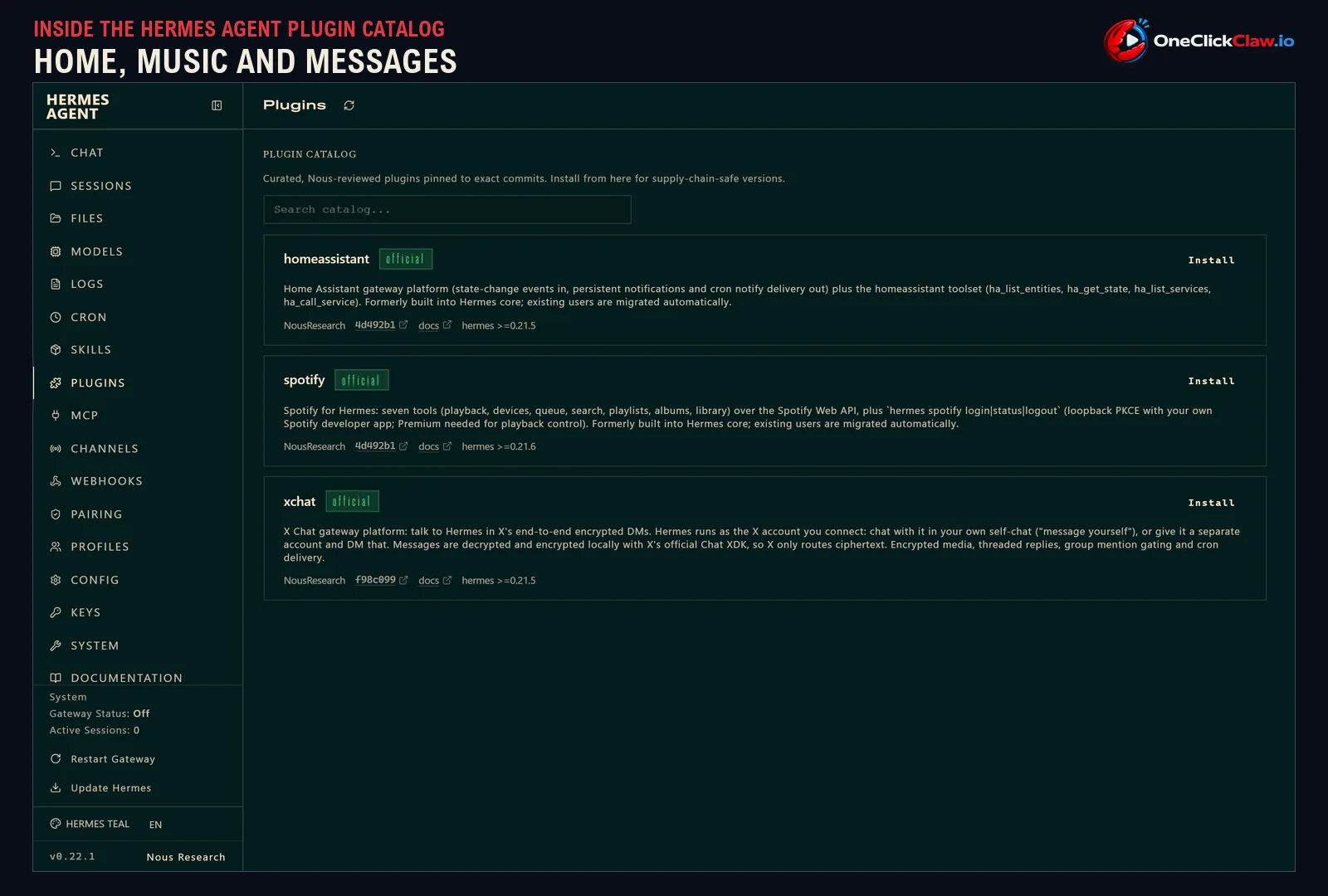
1. Home Assistant
This plugin links Hermes to Home Assistant, a popular app for running a smart home. Hermes can watch your lights, sensors and switches, react when something changes, control devices and send you its replies as Home Assistant notifications on your phone. It suits anyone who already runs Home Assistant at home.
2. Spotify
Hermes can play, pause and queue music, search, manage playlists and albums, and move playback between your speakers and devices. You sign in once through your own Spotify developer app, a free registration on Spotify's developer site. Controlling playback needs a Spotify Premium account.
3. X Chat
You can talk to your agent inside X's private, end-to-end encrypted messages, which means only the sender and the receiver can read them. Hermes runs as the X account you connect, so you either message yourself or give the agent its own account and message that. It also handles pictures, threads and group chats, and it needs an X developer app with access to chat.
Creative and 3D work
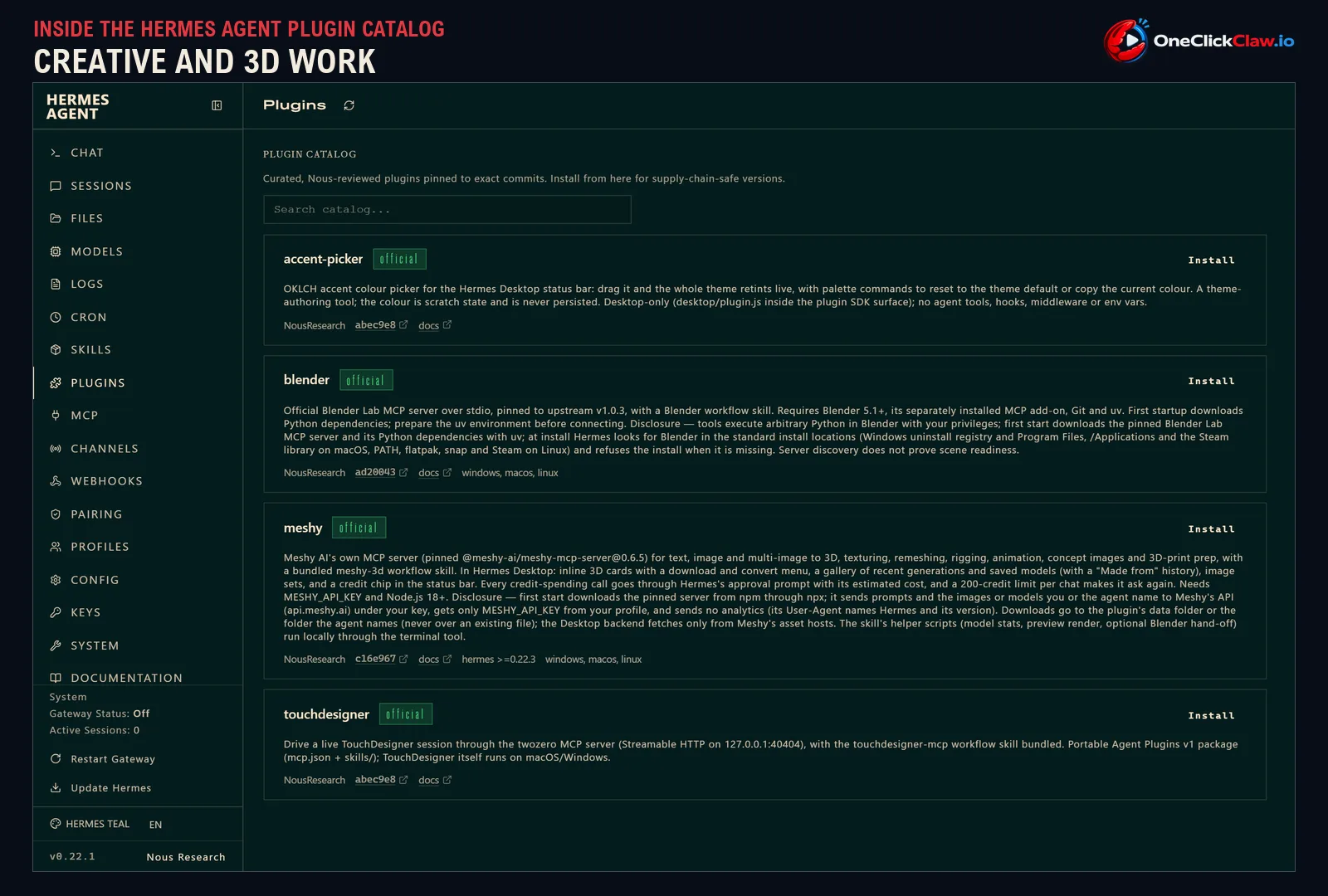
4. Blender
Blender is a free program for 3D modelling and animation. With this plugin Hermes can read and change the scene you have open, through Blender's own official connector. It needs a recent Blender release with that connector switched on, and since the agent runs small scripts inside Blender, Nous Research advises using it only with trusted workflows.
5. TouchDesigner
TouchDesigner is a visual tool artists use for live visuals, installations and concerts. The plugin lets Hermes drive a live TouchDesigner session and ships with more than 20 reference guides on topics such as sound-reactive visuals. It works with TouchDesigner on macOS or Windows.
6. Meshy
Meshy is a service that turns a sentence or a picture into a 3D model. Through this plugin Hermes can create models, paint and animate them, convert files and prepare them for a 3D printer (OneClickClaw covered the Meshy plugin on the 22nd of October). Hermes asks you before every step that spends Meshy credits, and the plugin needs a Meshy key from the Pro plan.
7. Accent Picker
This one is for the Hermes Desktop app only. It adds a colour wheel to the bottom bar, and as you drag it the whole app changes colour live. It is meant for people who design themes for the app, and the colour you pick works as a temporary preview that the app never stores.

Safety checks and sealed boxes
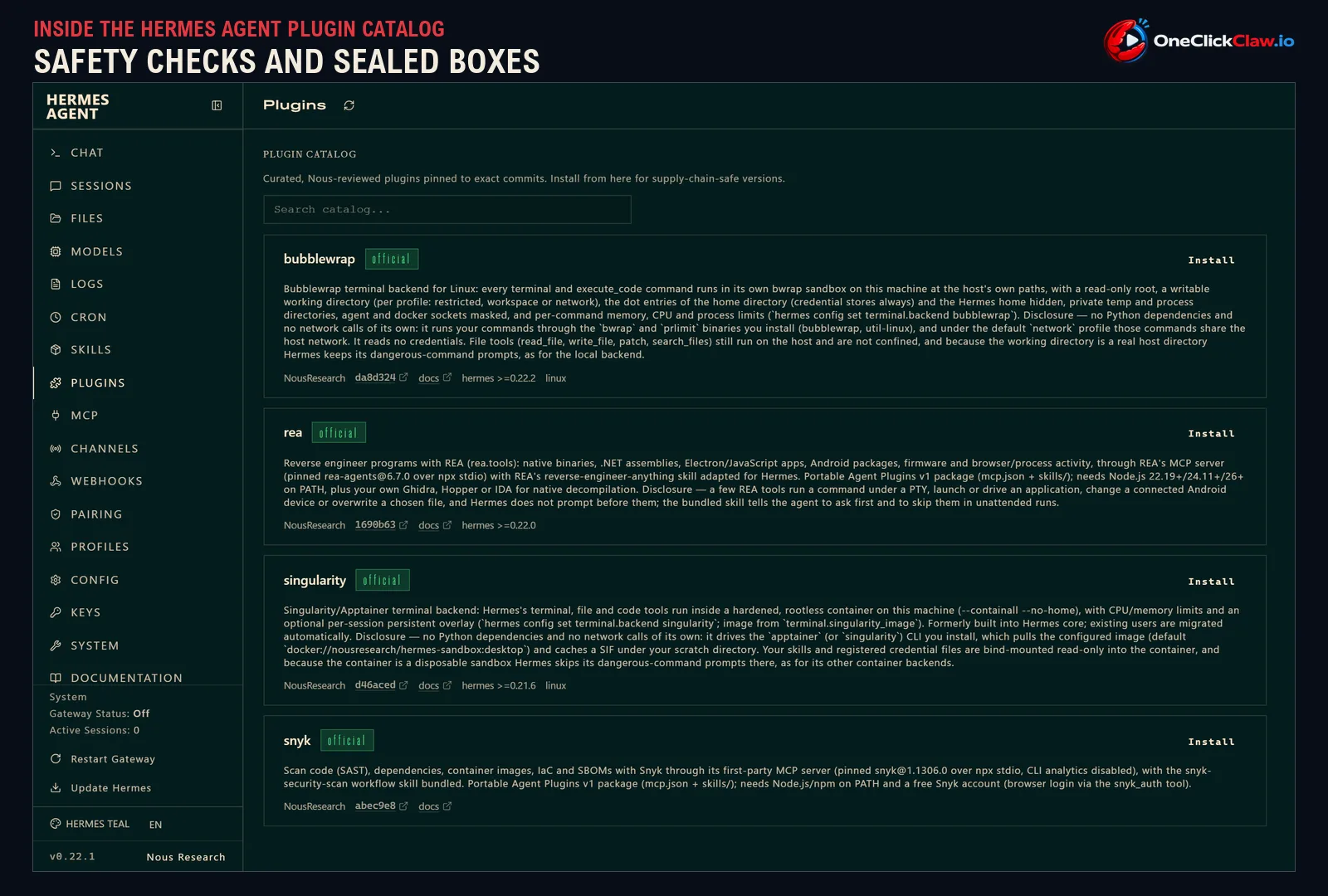
8. Snyk
Snyk is a security company that scans software for known weak spots. With this plugin Hermes can check your code, the outside libraries it uses and the packages you ship, using Snyk's own official connector. It suits anyone who builds software, and it needs a free Snyk account.
9. Bubblewrap
A sandbox is a sealed box where the agent's commands run while your private files stay out of reach. This plugin places every command the agent types into such a box on your own machine, with your passwords, keys and cloud logins hidden and limits on memory and processing power. It runs on Linux only.
10. Singularity/Apptainer
This plugin also runs the agent's commands inside a sealed container on the same machine, with limits on memory and processing power. It was built for university computing clusters and shared research machines, where many people share one computer. It runs on Linux and used to be built into Hermes.
11. REA
REA is a tool for looking inside existing programs to see how they work, a job called reverse engineering. Security researchers and developers use it to check software, from desktop and phone apps to device firmware, the program that runs inside a gadget. Simple inspections work at once, while deeper work on compiled programs needs a separate analysis program you supply.

Connecting Hermes to other apps and models
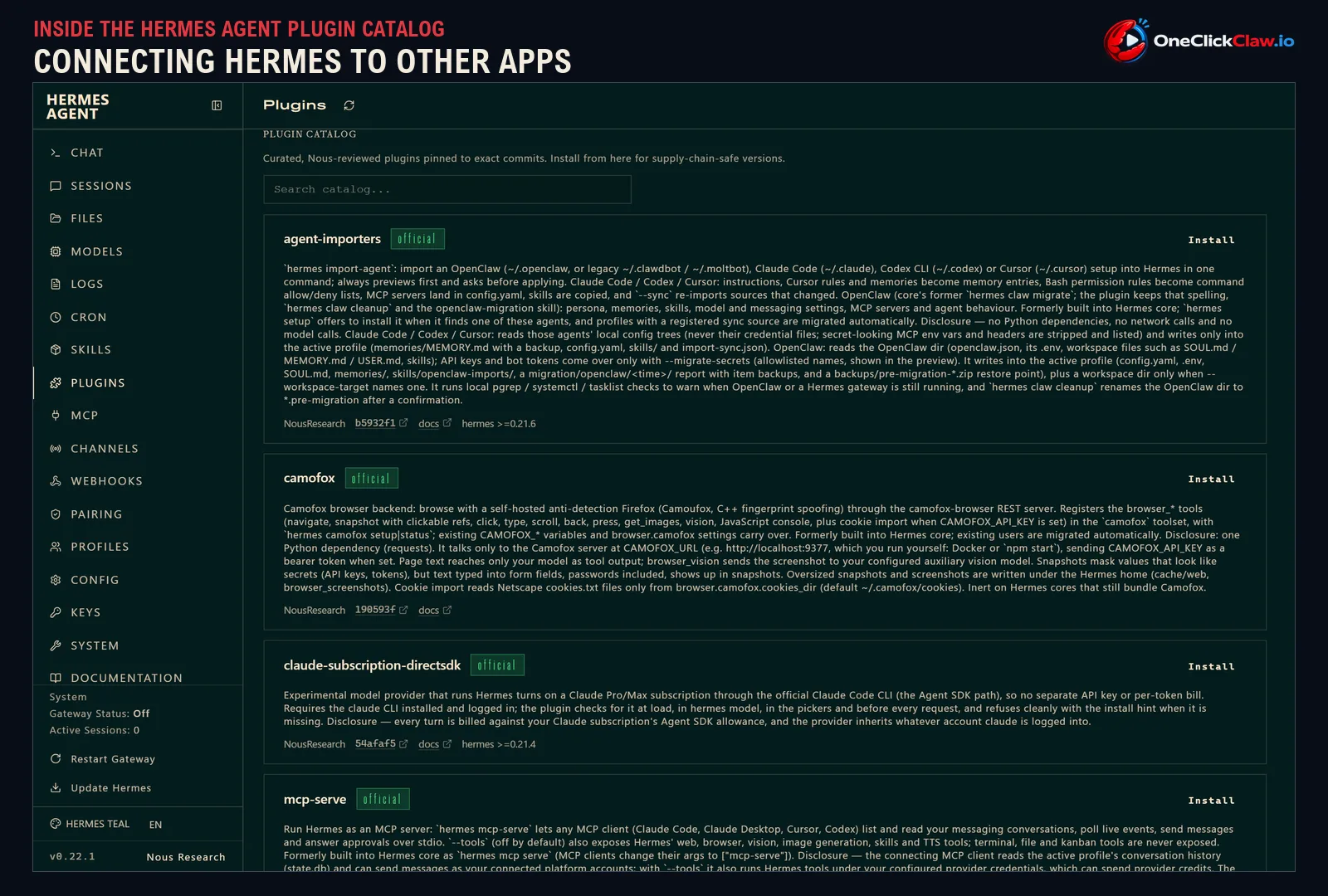
12. Claude Subscription DirectSDK
This plugin lets Hermes think with Claude, using the Claude Pro or Max subscription you may already pay for. It works through Anthropic's official Claude Code program, so there is no separate key and no bill per word processed. Nous Research marks it as experimental, and it needs Claude Code installed and signed in.
13. MCP Serve
This plugin turns Hermes into a source other AI apps can talk to, such as Claude Desktop, Cursor or Codex. Those apps can then read and send your messages across every chat platform Hermes is connected to. Extra Hermes tools such as web search and image making stay off until you switch them on, and the agent's terminal and file tools are never shared.
14. Agent Importers
This plugin brings an existing setup from other AI agents into Hermes in one step: OpenClaw, Claude Code, Codex or Cursor. Instructions and memories become Hermes memories, permission rules carry over and skills are copied. It always shows a preview first and leaves your secret keys behind unless you ask otherwise.
15. Camofox
Camofox is a privately hosted web browser, based on Firefox, that Hermes can drive on its own. The agent can open pages, click, type, scroll and take screenshots that your vision model reads. Saved profiles keep your logins between restarts, and it needs the Camofox browser server running on your machine.
Memory and oversight for power users
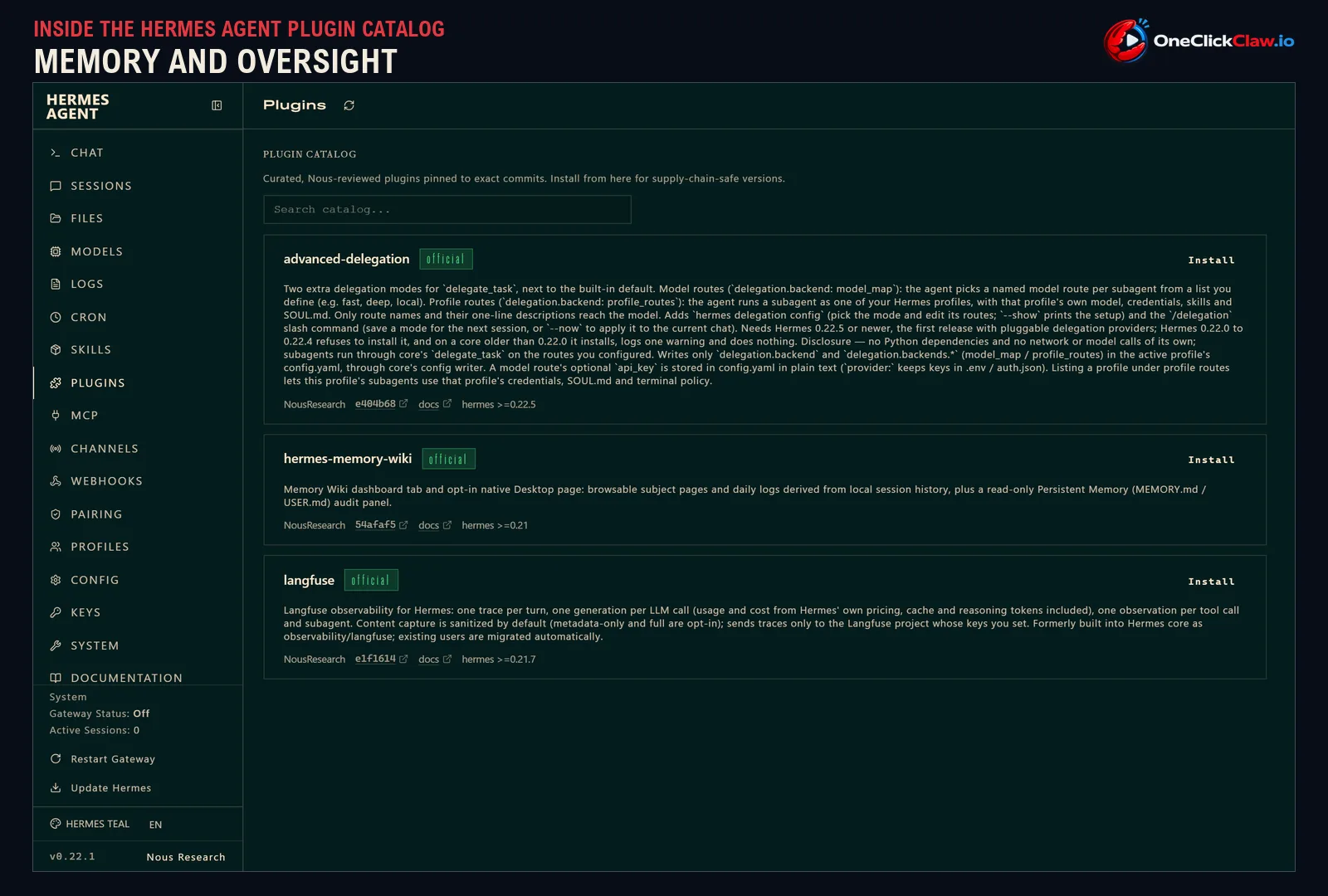
16. Memory Wiki
Hermes remembers your past conversations, and this plugin lets you browse that memory like a small encyclopedia. It turns your history into pages by subject and by day, shown as a tab in the dashboard and in Hermes Desktop. It only reads your history and never changes it.
17. Langfuse
Langfuse is a service that records what an AI app does, step by step. This plugin sends it a log of every Hermes turn: each call to the AI model with its cost, and each tool the agent used. By default it strips private content from the record, and it works with Langfuse's cloud service or a copy you host yourself.
18. Advanced Delegation
Hermes can hand parts of a job to helper agents. This plugin lets the agent choose which AI model each helper uses from a list you write, such as a fast one or a careful one, or run a helper as one of your other Hermes profiles with its own skills and logins. Only the names and the one-line descriptions you write are shown to the model.
Seven of them used to be built in
Seven of the 18 were part of Hermes itself until recently, according to Nous Research. For five of those seven, a normal Hermes update installs the plugin on its own and keeps your settings and logins. The other two may need one install from the catalog.
How to get them
All 18 install from the Hermes plugin catalog, which Nous Research publishes on its documentation site. The same catalog sits inside the Hermes Desktop app, under Capabilities and then Plugins. The catalog also lists hundreds of add-ons from other companies and from the community.
OneClickClaw runs Hermes Agent on a private server that stays on around the clock, with a 7-day free trial. The Starter plan starts at €14.99 a month.
Source: github.com
Helpful documentation
Want your own Hermes agent running without the setup? We host it on a dedicated EU server. Free for 7 days, no credit card.
Start your free trialGet notified when we publish new articles
No spam, unsubscribe anytime.
By subscribing, you agree to our Privacy Policy.