
Update Hermes Agent to 0.23.1 so the plugin catalog works again
Since the 9th of November 2026 Hermes Agent could hand you an old version of a plugin, or miss a new one. Version 0.23.1 fixes it. Nine steps with real screens from our own test server, where the update took about two minutes.
If Hermes Agent hands you an old version of a plugin since the 9th of November 2026, or cannot find a new one, the cause is a size limit inside Hermes itself. Nous Research fixed it in Hermes Agent 0.23.1. The release notes on GitHub are dated the 9th of November 2026 and the release went up on the 10th.
On the 11th of November 2026, OneClickClaw ran this update on a test server, from 0.23.0 to 0.23.1. Every picture below comes from that run. The whole update took about two minutes.
What the fix does, in plain words
A plugin is an add-on that gives your agent a new skill. Hermes keeps a list of all plugins, the catalog, a bit like a shop list it downloads from the internet.
The release notes say the list grew larger than the two megabytes Hermes would accept. From then on Hermes quietly used the older list that came with your install. Version 0.23.1 raises the limit to 16 megabytes.
- Before the update, Hermes shows older plugin versions and misses new plugins.
- After the update, Hermes reads the live list again.
- Your chats, settings and files stay where they are.
What it costs
The update is free. Your agent goes quiet for a short while, because Hermes pauses the gateway, the part that keeps your chat apps connected, and starts it again by itself.
On our test server the update ran from start to finish in about two minutes. In our release test on the 10th of November 2026 an upgrade took about three minutes, and the agent was offline for one to two minutes of that time.
Before you start
- You need a terminal on the machine that runs Hermes. A terminal is the window where you type commands. On a server you reach it over SSH, a secure remote login.
- Pick a quiet moment. A message that arrives during the update waits until the gateway is back.
These steps are for Hermes installed with the standard installer. Other install types are covered near the end.
Step by step: update to 0.23.1
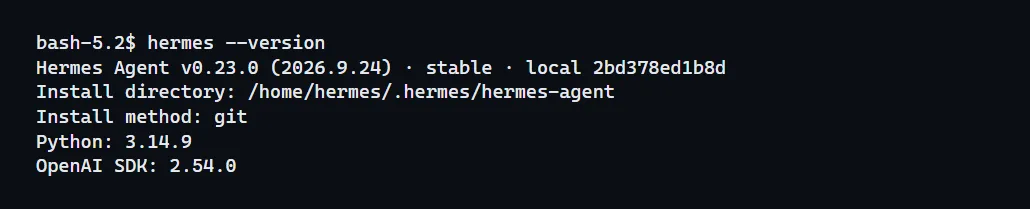
Step 1. Check which version you run now. Type hermes --version and press Enter. The first line shows the version. Our test server showed v0.23.0.
Step 2. Ask Hermes whether an update is waiting. Type hermes update --check. This only looks, it changes nothing. Hermes answers that the stable release v0.23.1 is available.

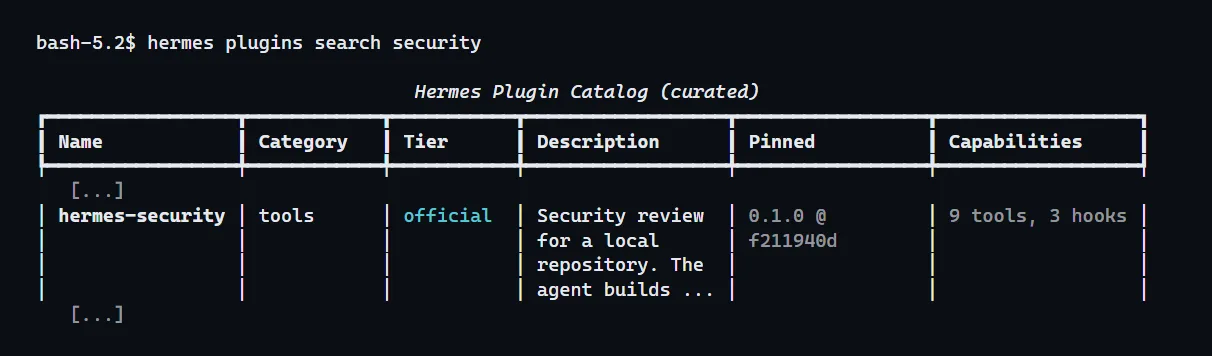
Step 3. See the problem with your own eyes. Type hermes plugins search security. In the list, find the row named hermes-security and read the column "Pinned". On 0.23.0 our test server showed 0.1.0, an old version of that plugin.
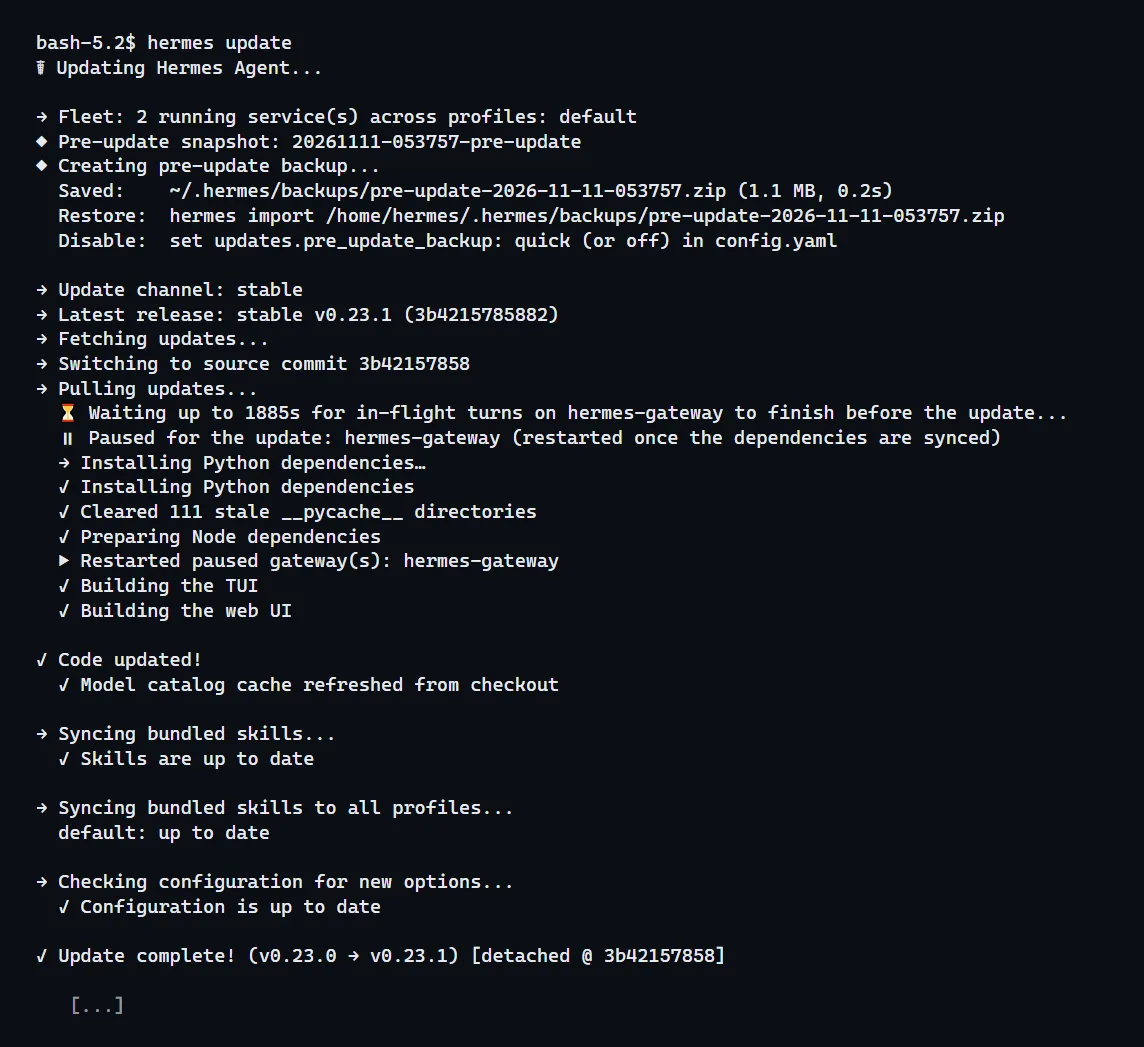
Step 4. Run the update. Type hermes update and wait. Hermes first saves a backup of your settings, then fetches the new version, pauses the gateway and starts it again. You are done when you read "Update complete! (v0.23.0 → v0.23.1)".
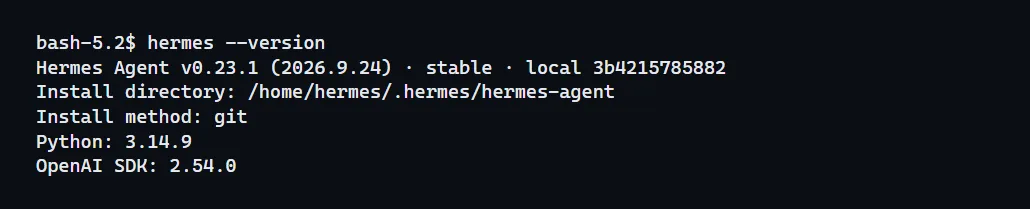
Step 5. Confirm the new version. Type hermes --version again. The first line now reads v0.23.1.
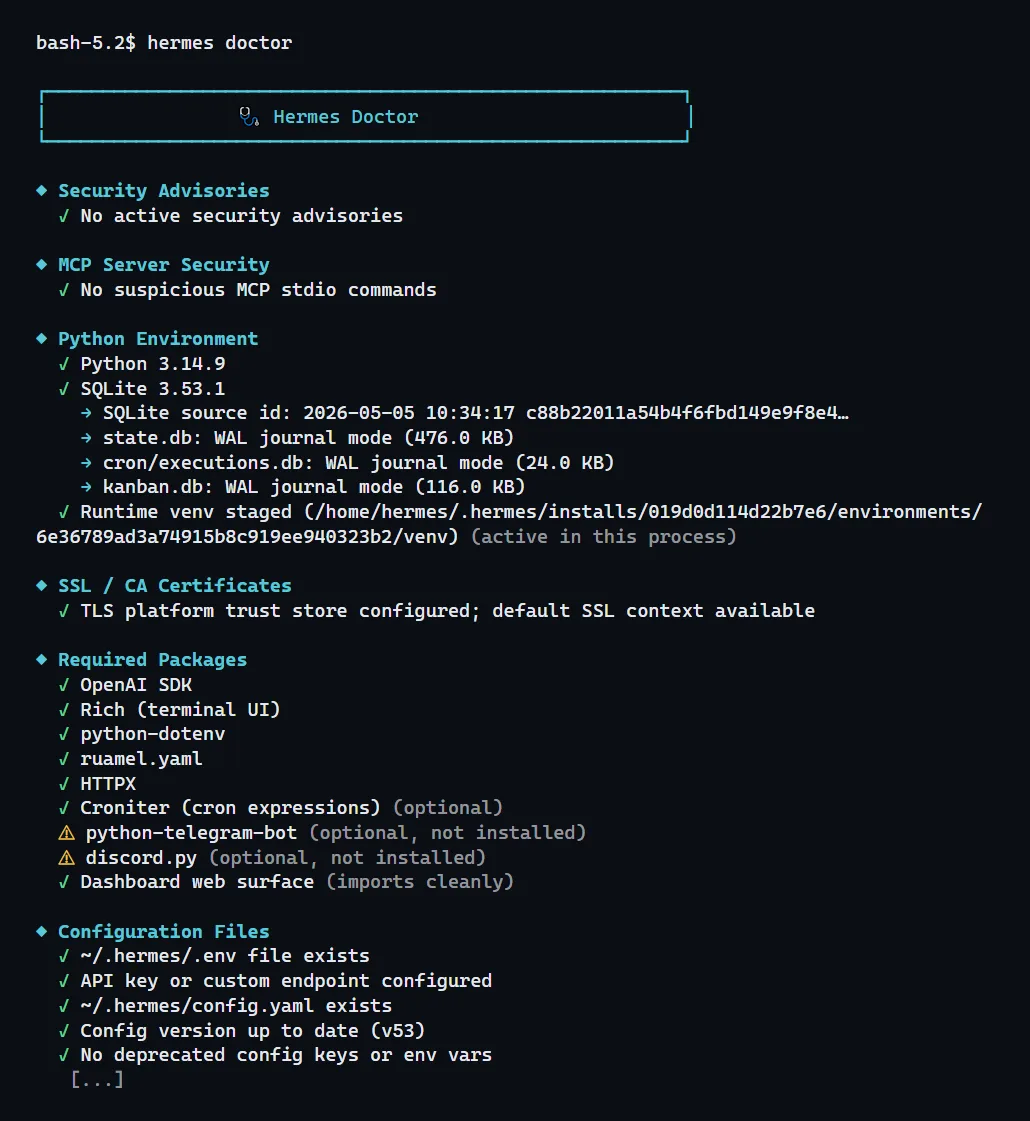
Step 6. Run the health check. Type hermes doctor. Green ticks mean a part is fine. A yellow warning next to a sign-in or an optional extra you never set up is normal. On our test server every required part had a green tick.
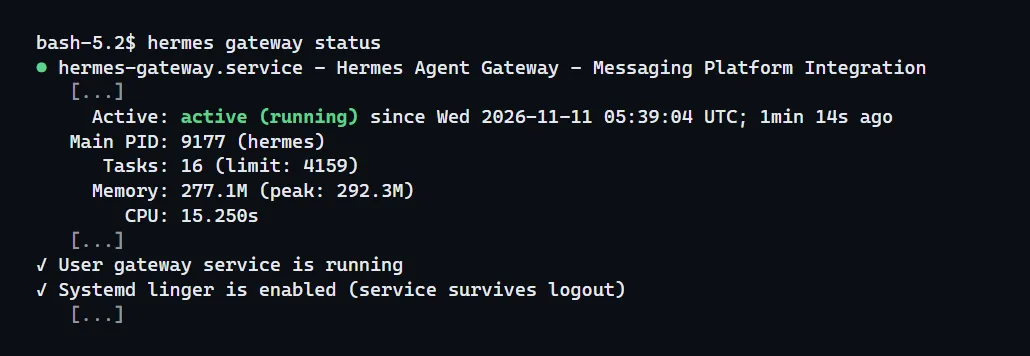
Step 7. Check that your chat apps are connected again. Type hermes gateway status. Look for "active (running)" and for the line "User gateway service is running".
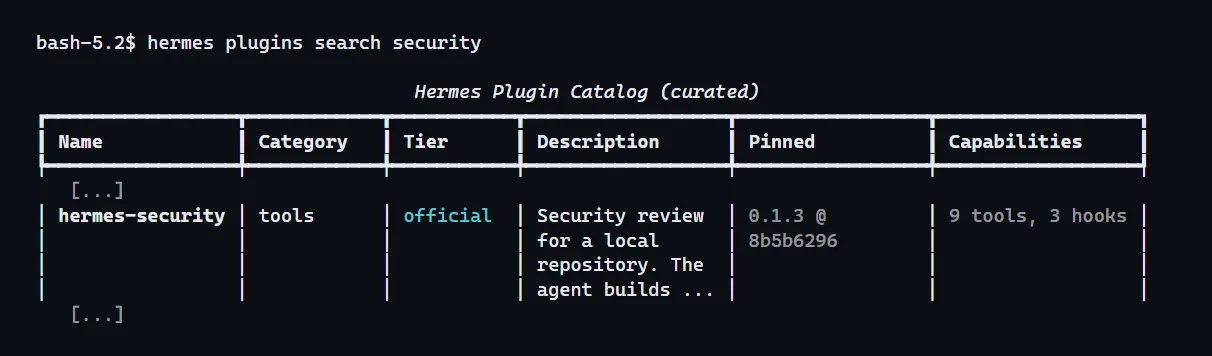
Step 8. Look at the catalog again. Type hermes plugins search security once more. The same row now shows 0.1.3. On our test server the list for this search was also about twice as long as before.
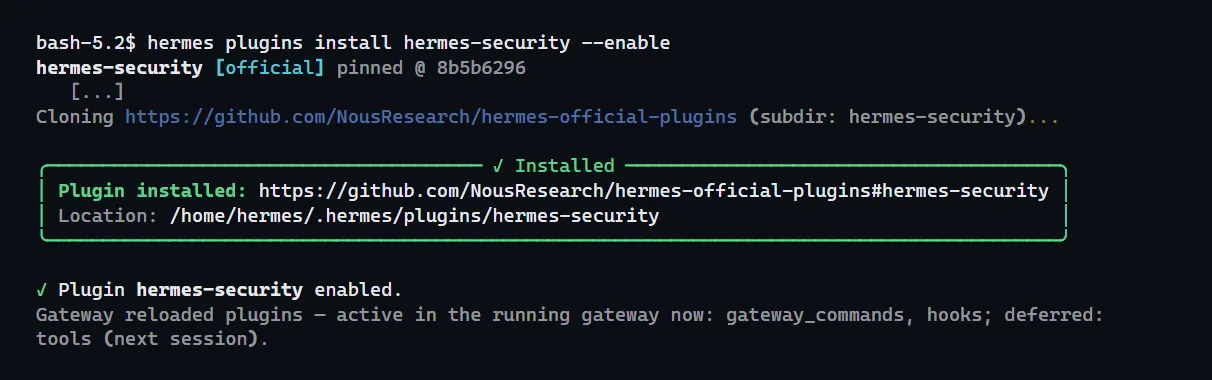
Step 9. Install the plugin you were missing. Type hermes plugins install, then the plugin name, then --enable. We installed hermes-security this way. Hermes answered "Installed" and "Plugin hermes-security enabled".
On a OneClickClaw server
You need no terminal. When a newer Hermes Agent is ready for your paid server, your dashboard asks you once, with a heading that starts "A newer Hermes is ready". Click "Upgrade now". We first take a full snapshot of your server and we restore it automatically if anything goes wrong.
New OneClickClaw servers for Hermes Agent start on 0.23.1 since the 10th of November 2026.
If you installed Hermes another way
The Hermes updating page gives one method per install type. We read it on the 10th of November 2026.
- Microsoft Store app: the update arrives through Microsoft Store updates.
- Docker: pull the new image and start the container again with the same data folder. The Hermes Docker page has the exact commands.
- Desktop app from the installer file: the release notes say this build has no change in 0.23.1. It updates with the next packaged release.
Quick answers
Do I need 0.23.1 if I already have 0.23.0? Yes, if you install plugins by name. The release notes say installs on 0.23.0 or older keep using the older list until they update.
Will I lose my chats or settings? On our test server nothing was lost. Hermes also saved a backup file before it changed anything, and printed the command that restores it.
Can I start the update from a chat? The Hermes updating page says you can send /update from Telegram, Discord, Slack, WhatsApp or Teams. We ran the update in the terminal, so that is the path shown here.
Related guides
- How to Install Hermes Agent and Start Your First ChatInstall Hermes Agent, connect a model, verify your first chat and add Telegram when you want to message it away from your computer.
- Hermes Agent broke after an update: what to check firstThree checks in order when Hermes Agent stops working after an update: the version, the built-in doctor and the gateway, plus how to read the common warnings and get back to a working version.
- Hermes Agent Tokenjuice: Shrink Long Terminal Output Before the Model Reads ItEvery time Hermes runs a command, the whole printout goes to the AI model, and you pay for each word of it. Tokenjuice trims the long, successful ones on your own machine first. How to install it, check it works and switch it off.
- Sign In to OpenClaw and Hermes Agent With Your Grok Subscription, No API KeyIf you already pay for SuperGrok, you do not need a separate xAI API key to run OpenClaw or Hermes Agent on Grok. Both agents have a built-in sign-in that uses your subscription. How to connect it on a server, what you get and what to do when xAI says no.