
Subscribe to our newsletter
One short email when we publish. No spam, unsubscribe anytime.
OpenClaw 2026.9.5 adds teams, live voice and checked updates
OpenClaw published version 2026.9.5 on September 19, 2026, bringing guided specialist-team setup, GPT Live in supported meetings and an update process that checks a candidate version before activation, according to its release announcement and release notes.
The release also covers selected conversation sharing, browser collaboration and conversation archives, according to the September 19, 2026 release notes. On September 20, 2026, the OpenClaw package registry listed 2026.9.5 under its latest stable label.
A team with four defined jobs
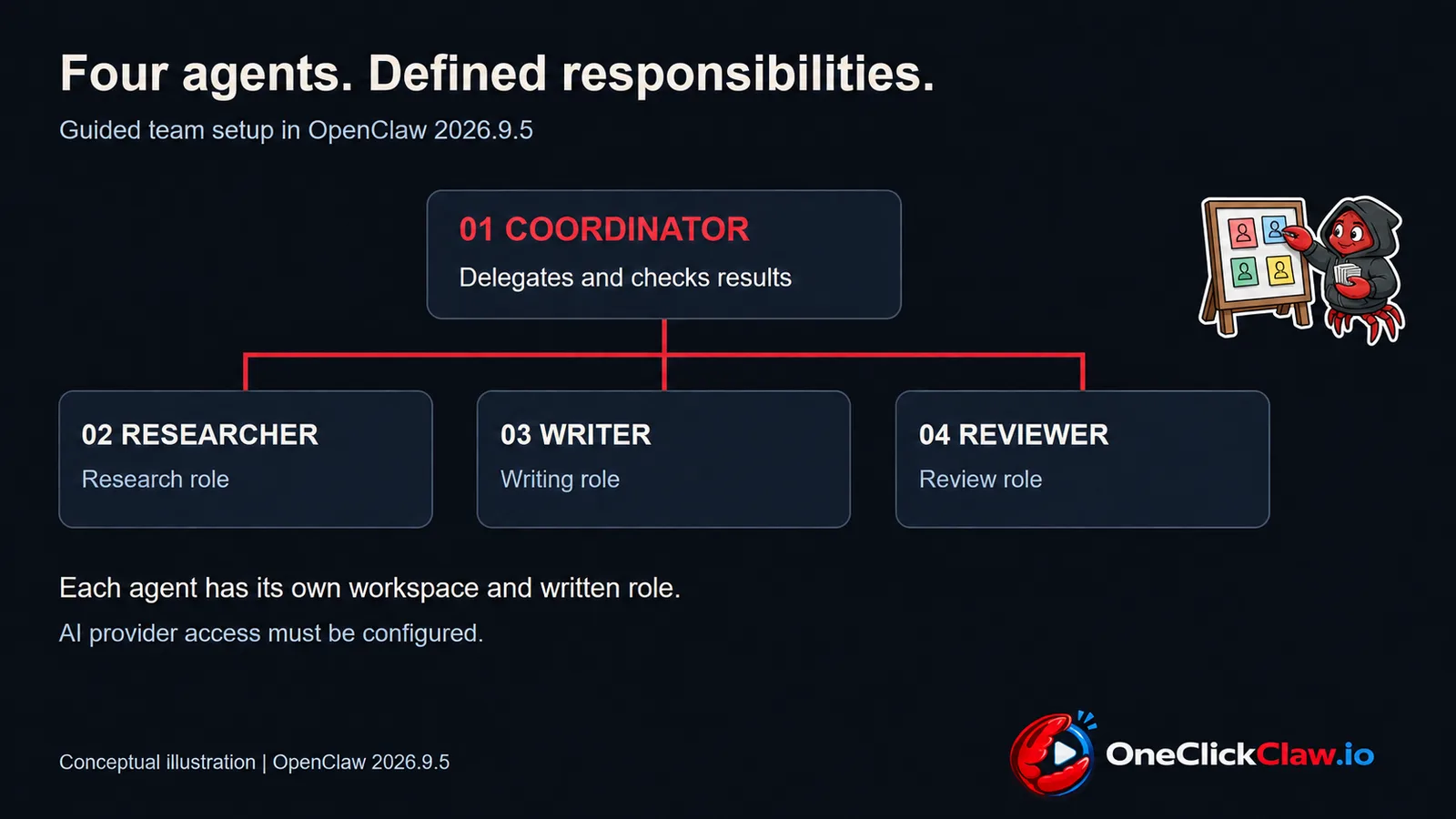
OpenClaw's guided setup documentation, checked on September 20, 2026, describes a preset with a coordinator, researcher, writer and reviewer, each with a separate workspace and written responsibilities.
The coordinator assigns suitable tasks and checks the specialists' results before reporting back, according to the setup guide. The setup guide places the coordinator in charge of reporting the results to the user.
The setup guide says team creation follows a successful connection check with the chosen AI provider; choosing Skip prepares the workspaces with AI access still awaiting configuration. The September 19 release notes also describe a New agent option in the web interface that presents a proposal for approval before creating the agents.
GPT Live joins the meeting workflow
OpenClaw's meeting documentation, checked on September 20, 2026, describes GPT Live support through its Google Meet, Microsoft Teams and Zoom meeting plugins, the extensions that connect OpenClaw to those services.
In the direct voice mode, participants can keep speaking while the model replies and the voice model can consult an OpenClaw agent, according to the meeting guide.
The September 19 release notes specify explicit Live selection for meetings and phone calls, audio-only operation and supported isolated audio capture for meetings. The release notes also require both the main OpenClaw service and a paired meeting computer to be updated.
Updates get a separate checking stage
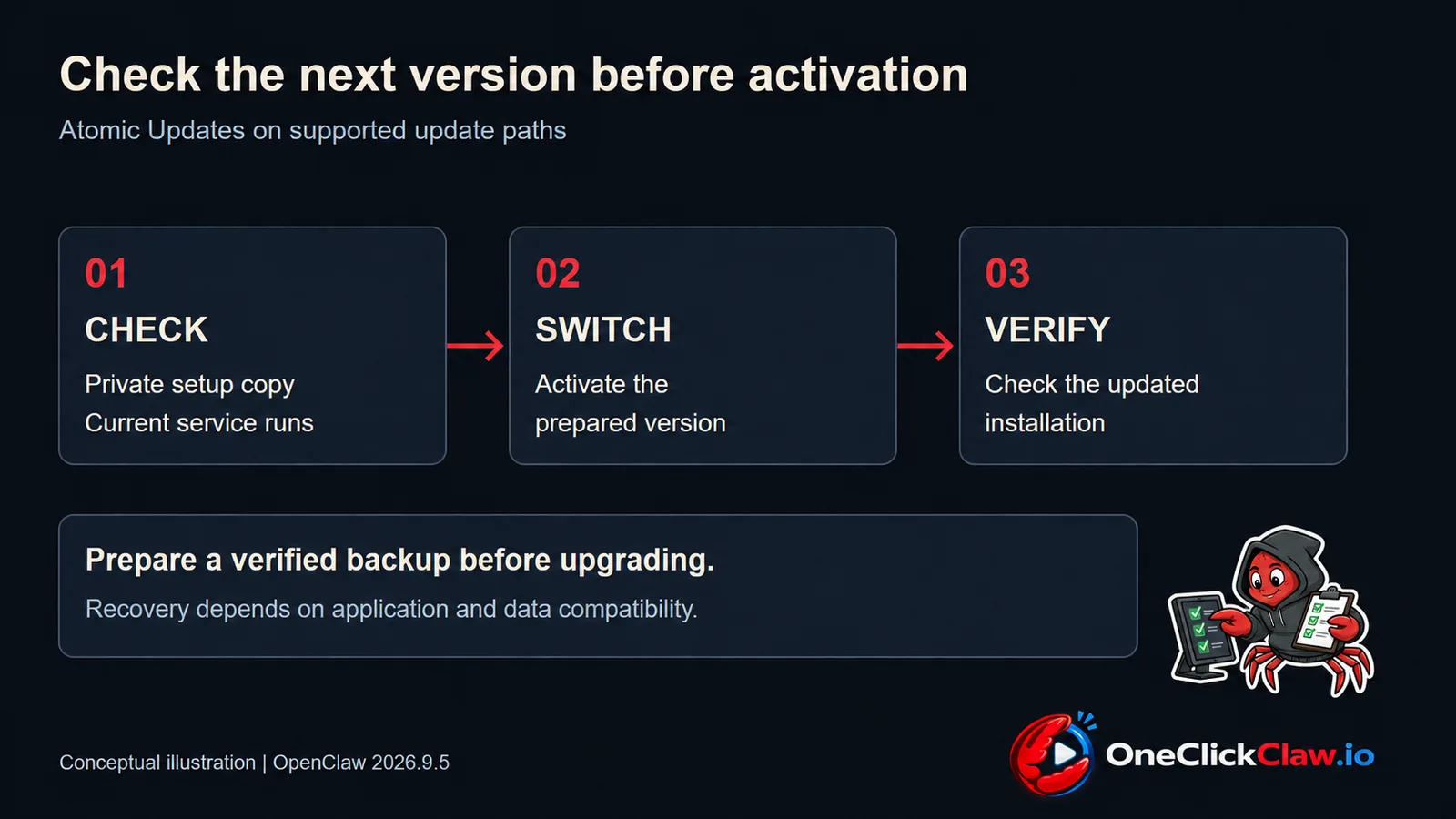
OpenClaw's update guide, checked on September 20, 2026, describes checking the next version while the current Gateway, the main OpenClaw service, continues to run, followed by activation and verification.
On supported paths, Atomic Updates perform that validation against a private copy of the setup, according to the September 19, 2026 release notes.
The update guide requires a verified backup before a significant upgrade and separates package updates from container-image replacement. The recovery guidance explains that application rollback depends on data compatibility, so a checked backup remains part of the update process.
Add supported plugins while the service runs
OpenClaw's plugin management guide, checked on September 20, 2026, describes installing and activating supported plugins through the running local Gateway, with permissions and consent checked during the process.
The plugin guide covers discovery, configuration, enabling and reloading from the web interface, alongside command-line management. For someone adding a supported integration, the documented workflow keeps the main service running while the plugin is applied and its status is checked.
Share selected conversations with a teammate
The Session Share documentation, checked on September 20, 2026, describes a disabled-by-default plugin that lets another paired OpenClaw installation read selected conversation groups.
The source operator chooses the groups and enables the connection, according to the Session Share guide. The Session Share guide gives the recipient reading access while the source operator controls which groups are shared.
The sharing guide says an empty group selection shares nothing and excludes private-mode sessions, drafts and subagent sessions. The sharing guide also explains that removing access stops new reads while recipients may retain text they already received, making group selection a deliberate publishing decision.
Work on the same browser page
OpenClaw's dashboard guide, checked on September 20, 2026, describes a shared browser panel where a person can change a page and ask the agent to continue from that state. The dashboard guide describes changing a filter before asking the agent to continue from that page.
The dashboard documentation specifies a local browser profile managed by OpenClaw, with its own signed-in accounts. The dashboard guide requires Browser access for this workflow.
Keep older conversations available
OpenClaw's session configuration guide, checked on September 20, 2026, documents optional cold storage, which compresses inactive conversation history for later restoration. The September 19 release notes describe storage controls and restoration when an archived conversation is opened again.
Trying OpenClaw on a hosted server
OneClickClaw's public trial configuration, checked on September 20, 2026, lists an enabled seven-day OpenClaw trial without an upfront card and names 2026.8.2 as its configured trial version. The release announcement concerns the OpenClaw project; the trial configuration identifies the version configured for the hosted trial.
Source: github.com
Helpful documentation
Want your own AI agent running without the setup? We host it on a dedicated EU server. Free for 7 days, no credit card.
Start your free trialGet notified when we publish new articles
No spam, unsubscribe anytime.
By subscribing, you agree to our Privacy Policy.