
Subscribe to our newsletter
One short email when we publish. No spam, unsubscribe anytime.
OpenClaw 2026.10.9: every new feature and fix, explained one by one
OpenClaw version 2026.10.9 went out on the npm registry, the public store that installs OpenClaw, on the 29th of October 2026, according to the registry's own record. It is now the "latest" stable release. The project's release notes on GitHub describe it as a maintenance release that "focuses on security dependency patches, recovery, data preservation, and reliability fixes".
The release record counts 48 separate contributions. Together they add up to nineteen changes a user can notice. Three of the nineteen concern security, five concern updates and recovery, and eleven are everyday fixes. The screens of the control panel stay the same.
Version 2026.10.9 arrives two days after version 2026.10.8, which was published on the 27th of October 2026. It needs the same version of Node.js, the engine OpenClaw runs on: 24.22.1 or newer in the 24 line, or 26.12.1 or newer, according to the npm registry, checked on the 30th of October 2026.
Every item below comes from the official release notes for version 2026.10.9.
Security
1. Updated building blocks
OpenClaw now ships updated versions of the outside libraries it is built on. MCP, the standard way OpenClaw connects to outside tools, gets stricter address checks. Two interface components turn away oversized data early. The email channel that reads mail over IMAP, the standard way to fetch email from a mailbox, uses an updated library so a forged sender cannot pass the sender check. Microsoft Teams uses an updated Microsoft sign-in library.
2. The workspace fence covers more tools
OpenClaw has a setting that keeps file changes inside the workspace, the folder an agent is allowed to work in. That setting now also covers tools the Gateway builds itself. The Gateway is the always-running core of OpenClaw that connects chat apps and models. Changes made by a delegated helper still ask for approval, and media tools stay inside the workspace.
3. Secrets stay out of view
The command that inspects tool connections now keeps live credentials, such as passwords and keys, out of its output. Google sign-in client secrets are masked in the logs, the running record OpenClaw writes as it works. This helps anyone who shares logs while asking for support.
Updates and recovery
4. Safe rollbacks after a failed update
When an update fails and OpenClaw rolls back, an install built from source code keeps the operator's own edits. An npm install retries short Windows permission refusals. It also reports the exact step that brings the install back to working order.
5. Agent databases and search indexes come back
Version 2026.10.9 recovers agent databases that are still intact, along with search indexes that have gone stale. This follows a change in how the database splits words for search. The recovery also covers update snapshots, the saved copies taken during an update.
6. Repaired updates after a disk is remounted
An update that finished publishing is now repaired after a disk is remounted, which means disconnected and connected again. OpenClaw keeps the original launcher and its recovery helper in place.
7. Large conversation archives move across
Large archives of past conversations now migrate to the new format without reaching the text size limit of Node.js. People with long chat histories keep all of them.
8. Recovery after a full disk
When a disk fills up, agents now recover on their own once space is free again. No restart is needed, which matters most on a server that runs unattended.
Everyday fixes
9. Files in Codex steering messages
Codex steering messages are the messages a user sends to guide a running Codex coding session. Images and files sent in them are now found in that conversation's own workspace.
10. Clearer reports on buffered commands
Some commands hold their output in a buffer before finishing, for example a local speech tool. When the cleanup of such a command is unclear, OpenClaw now reports exactly that, with its own label. The user sees what happened and can act on it.
11. Re-approved devices stay connected
A device connection, called a node in OpenClaw, now stays alive after the user approves it again.
12. The Gateway comes back after an unclear start
When the system cannot confirm that the Gateway service started, OpenClaw now recovers a Gateway that has stopped.
13. Passive stops on macOS leave the system as it is
On macOS, a passive stop with no Gateway service installed now leaves the system untouched.
14. The command line works from the root of the disk
OpenClaw's command line now recovers when it is launched from the root folder of the disk. This includes background jobs on macOS.
15. New ACP sessions open in the right folder
ACP sessions are sessions started by an outside coding tool. New ones now start in the folder the user asked for.
16. Two model list refreshes at once
When two refreshes of the model list run at the same time, both requests now complete.
17. The SSH probe honours port 22
SSH is the secure way to log in to a server remotely, and port 22 is its standard door. The Gateway probe over SSH now honours port 22 when a user requests it explicitly.
18. Skill details survive a comment
Skills are add-ons that teach an agent new tasks. Their details, such as icons and home pages, are now kept when a line of their description ends with a comment.
19. The video command shows ignored options
The video generation command now shows which options the video provider ignored. The user knows which settings shaped the result.
What the screens look like
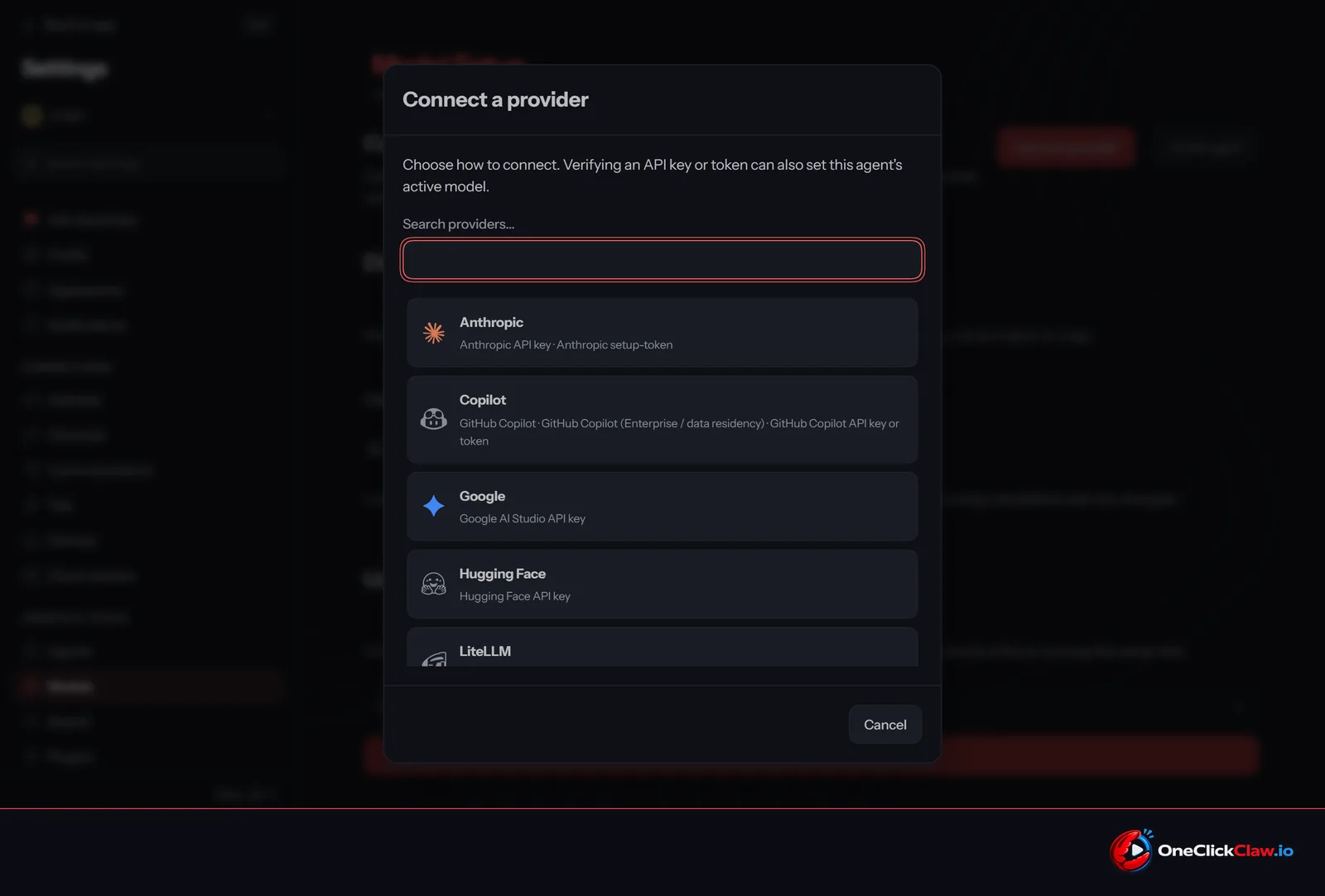
The release notes list no changes to the interface. OneClickClaw installed version 2026.10.9 locally on the 30th of October 2026 and captured the first screens of the browser control panel: Model Setup, the "Connect provider" list, the OpenAI and xAI sign-in steps, and Settings, then Channels. It compared each one pixel by pixel with the same screen on version 2026.10.8.
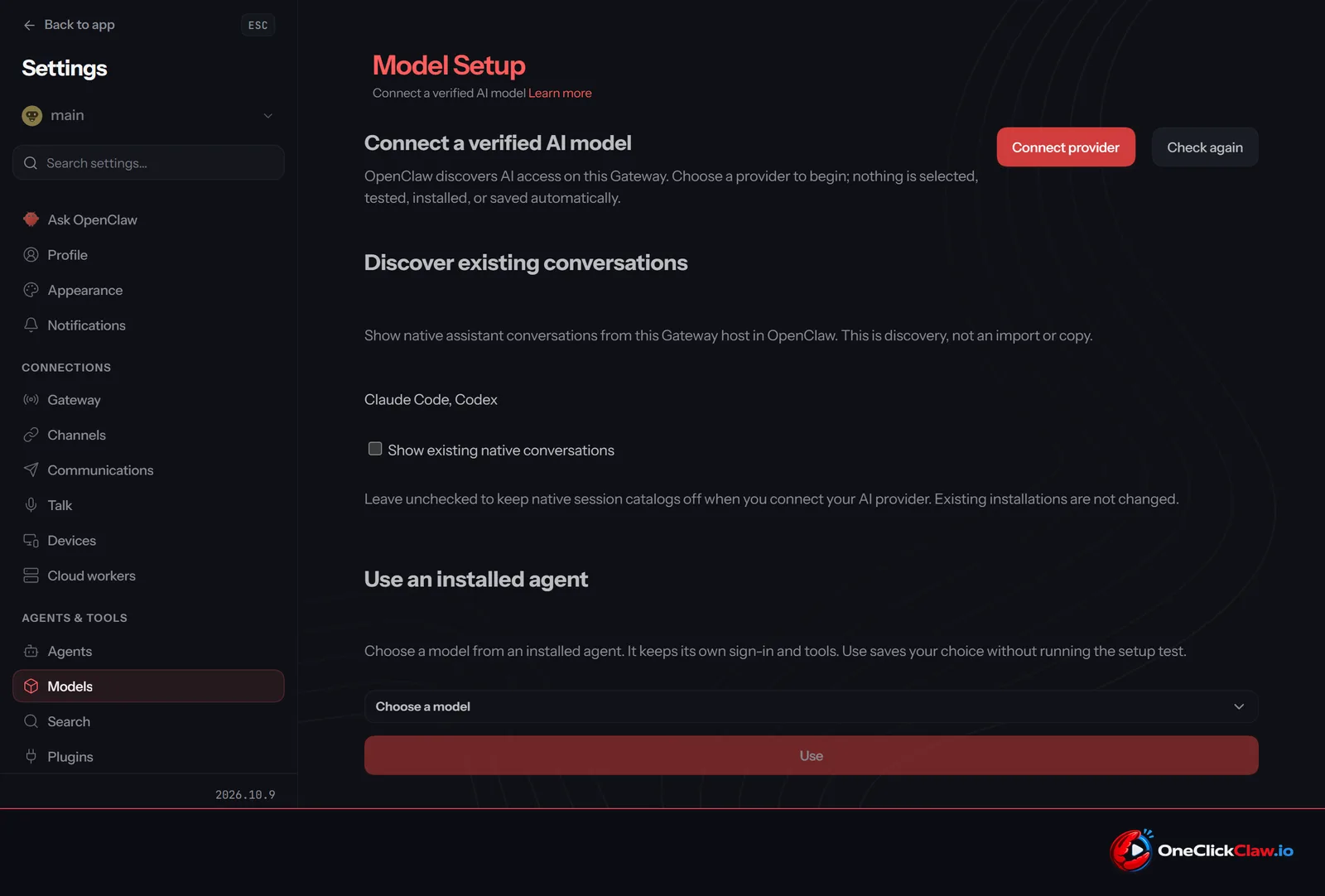
The screens are the same. The one visible difference is the version label in the sidebar, which reads 2026.10.9. Users who move to the new version see the layout they already know.
How OneClickClaw checked it
On the 30th of October 2026, OneClickClaw built a test server with version 2026.10.9 through its normal setup flow. Setup took about 19 minutes.
On that server, the Gateway was running with zero restarts and answered its health and readiness checks. The public secure web page and the Model Setup page loaded. Automatic updates were off. Every bundled plugin reported version 2026.10.9. A test message to a Claude model came back with the expected one-word reply. The test server was then deleted.
In short
Five of the nineteen changes protect data and installs during updates, full disks and recovery, the moments an agent that runs day and night usually meets with nobody watching. Eleven smooth out daily use on Windows, macOS and remote servers, and three tighten security around tools, secrets and email.
OneClickClaw runs OpenClaw on a private server that stays on around the clock, with a 7-day free trial at oneclickclaw.io/openclaw.
Source: github.com
Helpful documentation
Want your own AI agent running without the setup? We host it on a dedicated EU server. Free for 7 days, no credit card.
Start your free trialGet notified when we publish new articles
No spam, unsubscribe anytime.
By subscribing, you agree to our Privacy Policy.