
Subscribe to our newsletter
One short email when we publish. No spam, unsubscribe anytime.
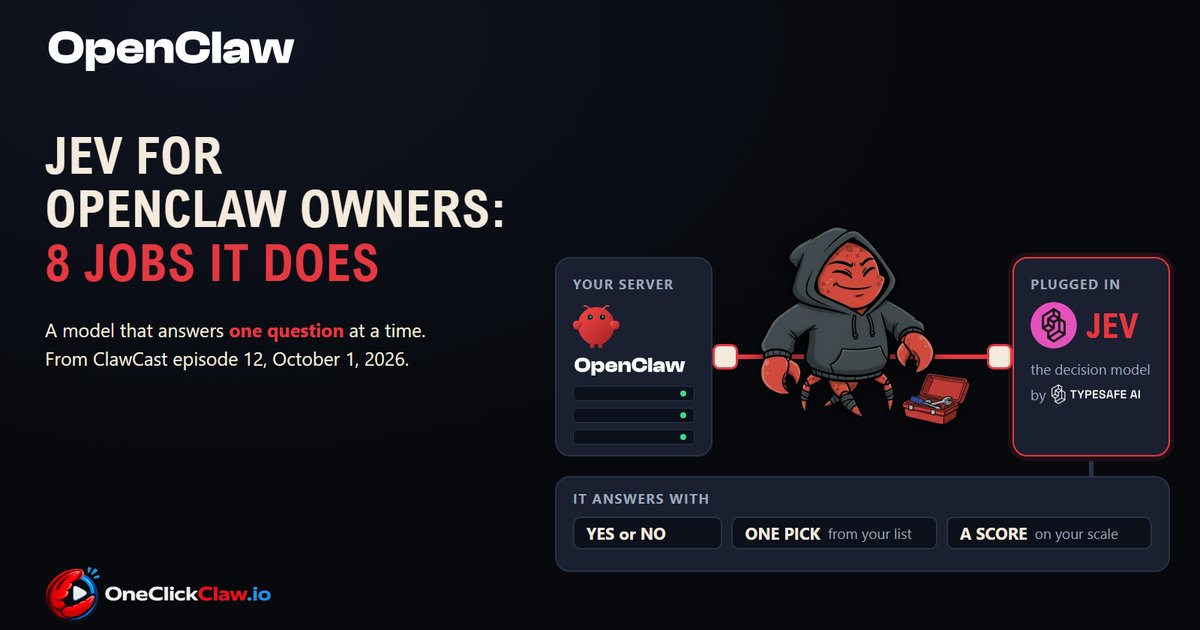
Jev for OpenClaw owners: 8 jobs it does
The official OpenClaw YouTube channel published ClawCast episode 12 on 1 October 2026, and the first half of its 59 minutes is about Jev, an AI model from TypeSafe AI that reads a piece of text and answers one small question about it. Hosts Hannes Rudolph and Patrick Erichsen spoke with Allie Laabs of TypeSafe AI and Josh Lehman, an OpenClaw maintainer. For an OpenClaw owner the questions are three: how Jev gets in, what it costs and what people use it for.
What Jev is, in everyday words
Jev writes no text and holds no conversation, according to TypeSafe's documentation. It answers one small question about the text it is given, in one of three shapes listed on the introduction page: yes or no with a number for how sure it is, a pick from a list the owner defines, or a score on a scale the owner describes. Think of a doorman who never speaks: each message walks up and the doorman nods it through, points it to a door or holds up a number.
TypeSafe AI, based in San Francisco, opened early access with a waitlist in a post dated 15 September 2026. The maker's advice is to ask small questions, one judgment each. English is its primary language, according to the models page, and counting, arithmetic and comparing dates are listed as weak points on its page about the model's rough edges.
How it gets into your OpenClaw
OpenClaw added a third model slot, the decision model, next to the chat model and the utility model, and it stays off until the owner picks a model for it, according to OpenClaw's documentation on decision models. OpenClaw 2026.9.6, released on 23 September 2026, brought the slot, the official TypeSafe plugin, a plugin for local models and a Decision Model picker in the settings. The steps, from OpenClaw's page for the TypeSafe plugin:
- Update your OpenClaw to the current version, 2026.9.7.
- Install the official TypeSafe plugin, an add-on, from npm or ClawHub, the two public catalogues OpenClaw plugins come from.
- Get an API key from the TypeSafe console, a long password that lets your server talk to TypeSafe, and save it in OpenClaw under Settings, then Secrets.
- Enable the plugin and point it at that saved key.
- Open Settings, then Models, and choose Jev in the Decision Model picker, for all your agents or for one.
Jev appears only in that picker, and choosing it leaves the chat model in place and starts no background work, the same page says.
What it costs
TypeSafe's price list shows $0.042 (€0.037) per million input tokens, and answers are free. A token is a small piece of text, roughly a short word. The euro figures here use the European Central Bank's reference rate of 1 October 2026, 1 euro to 1.1298 dollars. In human scale, TypeSafe's own quick start example sends one support ticket with three questions, 392 tokens, so about 60,000 such tickets cost $1.00 (€0.89).
The option that keeps everything on your server
OpenClaw 2026.9.6 also shipped an official plugin for local decision models in the ONNX format, which run on the server's own processor, according to OpenClaw's page for that plugin. It needs no API key, comes with seven preset models and the text it judges never leaves the server, while with hosted Jev that text is sent to TypeSafe, as OpenClaw's experimental features page notes.
Eight jobs for Jev in an OpenClaw setup
On 20 September 2026 the X account @solotechdev asked what the best use cases for Jev are, and the post had 45,712 views and 143 replies by the day this article was written. A search on GitHub the same day listed 10 public projects that pair OpenClaw with Jev.
1. Sorting an inbox
The agent asks one small question per email: is it an invoice, is it a lead, is it urgent. Only the ones that pass reach the chat model. In a YouTube test published on 19 September 2026, creator Nate Herk, in his own test with Jev, ran seven questions over 1,000 emails in about 70 seconds for $0.09 (€0.08), by his own measurement.
2. Knowing when to speak in a group chat
The decision is whether a message is meant for the agent at all. A community plugin by developer herval, published on 18 September 2026, reads the new message with the last eight and keeps the agent silent on chatter such as a lunch plan.
3. A front door for personal messages
On ClawCast 12 one host described a business agent that receives his iMessages. A yes or no decision on each incoming message would let business messages through and keep family chat away from the agent.
4. Spam and moderation
On ClawCast 12 the hosts said they plan to use Jev on the OpenClaw Discord bot to decide whether a message is spam. The panel said such a bot needs only a set of judgments per message, with a note to the human moderators.
5. A last check before a message goes out
The plugin openclaw-jev-leakguard by yousan, published on 30 September 2026, checks an outgoing message against the privacy level of its channel, private, shared or public, before the message leaves.
6. Deciding when to wake the agent
The plugin openclaw-jev-trigger by yousan, published on 30 September 2026, checks a plain language condition on a timer, such as whether the work in a thread is finished, and wakes the agent only on a yes. By the author's own count, a check every five minutes costs about $0.14 (€0.12) a month.
7. Sending each task to the right model
The plugin jev-claw by trietphan, published on 18 September 2026 and listed on ClawHub, has Jev label a coding task by type, complexity and risk, and ordinary code then picks which chat model handles it.
8. Keeping long conversations tidy
The plugin openclaw-jev-compaction from the Hilo team, published on 20 September 2026, scores the old results of the agent's earlier steps in a long session and keeps the ones still needed word for word.
Numbers 2 and 6 run around the clock, so they only do their job on a machine that stays on.
What OpenClaw itself is building with it
The first automatic use was merged into OpenClaw's main code on 1 October 2026: on ordinary chat messages the decision model judges whether tools are needed and leaves the tool list out of the request when they are not. It is opt in and sits in the main code ahead of the next release. Its switch, called Decision assistance under Settings, then Labs, arrived with OpenClaw 2026.9.7 and is off by default, according to OpenClaw's page on experimental features. Three more proposals were under review the following day: replying to a group message that does not mention the agent, whether a new message steers the running task and whether a scheduled check needs a full agent run.
Where this leaves the owner of an agent
OneClickClaw gives each customer their own OpenClaw server that stays on, which is what numbers 2 and 6 need. The Starter plan is EUR 14.99 a month and the 7 day free trial needs no credit card.
Source: www.youtube.com
Helpful documentation
Want your own AI agent running without the setup? We host it on a dedicated EU server. Free for 7 days, no credit card.
Start your free trialGet notified when we publish new articles
No spam, unsubscribe anytime.
By subscribing, you agree to our Privacy Policy.